
February 10, 2021 NHTSA CAMPAIGN NUMBER: 21V062000
Possible Loss of Braking Assistance and ABS
A loss of ABS and a reduction in braking assistance can increase the risk of a crash.
NHTSA Campaign Number: 21V062
Manufacturer BMW of North America, LLC
Components SERVICE BRAKES, HYDRAULIC
Potential Number of Units Affected 901
Summary
BMW of North America, LLC (BMW) is recalling certain 2020-2021 8 Series Coupe, Grand Coupe and convertible 840i, 840i xDrive, M850i xDrive, M8 and 740 Li, 740 Li xDrive, 750 Li xDrive, M760 Li xDrive, X6 sDrive40i, X6 xDrive40i, X6 xdrive50i, X6 M50i, X6M, and 2019-2021 X5 sDrive40i, X5 xDrive40i, X5 xDrive50i, X5 M50i, X5M, X7 xDrive40i, X7 xDrive50i, X7 M50i, and 2021 M3, M3 Competition, M4 Coupe, M4 Competition Coupe, X5 xDrive45e, 745 Le xDrive. The rotor and shaft within the integrated brake system may not have been welded properly and could separate during a hard braking event, possibly resulting in a loss of the Antilock Brake System (ABS) and braking assistance.
Remedy
BMW will notify owners, and dealers will replace the integrated brake system, free of charge. Owner notification letters were mailed on May 25, 2021. Owners may contact BMW customer service at 1-800-525-7417.
Notes
Owners may also contact the National Highway Traffic Safety Administration Vehicle Safety Hotline at 1-888-327-4236 (TTY 1-800-424-9153), or go to www.safercar.gov.
Check if your BMW has a Recall
SIB 34 02 21
2021-05-20
RECALL 21V-062: INTEGRATED BRAKE SYSTEM
This Service Information Bulletin (Revision 2) replaces SI B34 02 21 dated March 2021.
What’s New (Specific text highlighted:
- Procedure
- Warranty Information
Please perform the procedure outlined in this Service Information on all affected vehicles before customer delivery. In the event the customer has already taken delivery of the vehicle, please perform the procedure the next time the vehicle is in the shop.
MODEL
| F91 (M8 Convertible) | G05 (X5 Sports Activity Vehicle) | G15 (8 Series Coupe) |
| F92 (M8 Coupe) | G06 (X6 Sports Activity Coupe) | G16 (8 Series Gran Coupe |
| F93 (M8 Gran Coupe) | G07 (X7 Sports Activity Vehicle) | G80 (M3 Sedan) |
| F95 (X5 M Sports Activity Vehicle) | G12 (7 Series Sedan) | |
| F96 (X6 M Sports Activity Coupe) | G14 (8 Series Convertible) |
AFFECTED VEHICLES
Vehicles which require this Recall Campaign to be completed will show it as “Open” when checked either in AIR, the “Service Menu” of DCSnet (Dealer Communication System), ISPA Next or Warranty Vehicle Inquiry.
SITUATION
BMW AG is conducting a Voluntary Safety Recall (effective February 4, 2021) on certain Model Year 20192021 BMW vehicles that were produced between December 4, 2018 and December 8, 2020.
The Integrated Brake system (IB) control unit may not have been produced to specifications. In the event of hard braking, there may be a reduction in braking assistance which could lead to an extended stopping distance, and increase the risk of a crash.
The Recall Notice and Q&A have been attached for further information.
CAUSE
The IB unit was produced incorrectly.
CORRECTION
Replace the IB.
PROCEDURE
Replace the IB as per REP 34 51 601.
Note: For G80 vehicles, see attached G80 REP 34 51 601.
Important note on disposing of the used parts: Dispose of the removed parts properly using the processes established on the market. In so doing, follow all the legal regulations and guidelines that apply to your center in the US. Proof of scrapped parts must be included in the vehicle records.
PARTS INFORMATION
Please monitor the Parts Matrix for ordering information.
Only use and invoice the part numbers below that apply.
Performing a part number look-up in ETK (EPC) by VIN or model in place of using/invoicing the following part numbers may result with the wrong part numbers being invoiced and installed, this could delay the payment of the claim.
| Part Number | Description | Quantity |
| 07 11 9 904 295 | Self-locking collar nut (M8-8-ZNS3) | 2 |
| 34 33 6 864 115 | Seal, brake booster | 1 |
| G1x F91 F92 F93 | ||
| 34 51 5 A30 760 | Power brake (IB) | 1 |
| G12 G14 G15 G16 | ||
| 51 71 6 966 566 | Hexagon screw with flange (M10x45) | 4 |
| F91 F92 F93 | ||
| 07 14 8 076 410 | Hex bolt with washer (M) | 4 |
| G8x | ||
| 34 51 7 882 966 | Power brake (IB) | 1 |
| 07 14 8 086 257 | Hex bolt (M10X35 ) | 4 |
| 51 61 8 084 883 | Hex bolt (M10X70) | 4 |
| G0x F95 F96 | ||
| 34 51 5 A30 755 | Power brake (IB) | 1 |
| 81 22 0 142 156 | Brake fluid (12 oz btl.) | Sublet as needed |
Attachment to B34 02 21
February 2021
SAFETY RECALL NOTICE
To: All Center Operators, Sales Managers, Service Manager, Parts Manager and Warranty Processor
RE: Recall 21V-xxx: Integrated Brake System – B34 02 21
BMW AG is conducting a Voluntary Safety Recall (effective February 4, 2021) on certain Model Year 2019-2021 BMW vehicles that were produced between December 4, 2018 and December 8, 2020.
Please be reminded that it is a violation of federal law (The Safety Act) for you to sell, lease or deliver any new motor vehicle covered by this notification until the recall repair has been performed. This means that centers may not legally deliver new motor vehicles to consumers until they are fixed or use/sell replacement equipment/parts subject to this recall. Note also that substantial civil penalties apply to violations of the Safety Act.
Also, you should not sell, lease or deliver any Certified Pre-Owned or used vehicles subject to a safety recall until the repair is completed.
Please follow any special instructions that we provide to you for the return or disposition of recall parts.
We appreciate all your assistance with this Recall.
Attachment to B34 02 21
February 2021
34 51 601 Replacing the hydraulic unit
Overview of Activities
Additional Information
Preliminary Work
1 Disconnecting all battery earth leads
2 Remove the seal for the rear bonnet
3 Remove the cover of the engine compartment at th .. .
4 Remove the cover of the rear right engine compart .. .
5 Removing both wiper arms
6 Remove cowl panel cover
7 Removing trailing link at spring strut dome
8 Removing the trim panel for pedal mechanism
Main Work
9 Remove hydraulic unit
10 Prepare for the installation of the hydraulic unit
11 Install hydraulic unit
Postprocesses
12 Connect bleeder unit for brake fluid
13 Flush and bleed rear brake (after part replacement)
14 Flushing and bleeding the front brake (after part exch .. .
15 Disconnecting the bleeder unit for the brake fluid (aft .. .
16 Installing the trim panel for the pedal mechanism
17 Install tension strut on spring strut dome.
18 Installing cowl panel cover
19 Installing both wiper arms
20 Install the rear right engine compartment cover
21 Install the cover of the engine compartment on th …
22 Install the seal for the bonnet
23 Disconnecting all battery earth leads
24 Functional check of the integrated brake system
25 DSC unit start-up/driving dynamics sensor adjustment/programming the control unit
Additional information is available.
General information
TECHNICAL INFORMATION
Maintain conditions of absolute cleanliness.
TECHNICAL INFORMATION
Before working on the DSCi brake (integrated brake) for the first time, the “DSCi” web-based training should have been
completed once. To do this, the “DSCi” web-based training must be initiated in their Learning Management System
(TMSi).
TECHNICAL INFORMATION
- Before the hydraulic unit is removed, the vehicle battery must be disconnected!
- The vehicle battery must never be connected during the repair!
- Otherwise a brake bleeding routine must be performed after the repair.
- Additional information: see 34 00 … Brake bleeding routine
- The vehicle battery may be connected again only if the brake system is filled completely with brake fluid and bled!
TECHNICAL INFORMATION
Use only BMW-approved brake fluids.
For additional information see: SBS-ANL-SBS1996-340396150 …
PRELIMINARY WORK
1-Disconnecting all battery earth leads
Additional information is available.
- See additional information.
2-Remove the seal for the rear bonnet
- Feed the cable (1) out of the brackets toward the front.
- Remove the rear bonnet seal (2) from the guide toward the inside.
3-Remove the cover of the engine compartment at the rear left
- Loosen the lock (1).
- Remove the cover (2) of the rear left engine compartment.
4-Remove the cover of the rear right engine compartment
- Release washer fluid hose (1) from the guides.
- Loosen the lock (2).
- Remove the cover (3) of the rear right engine compartment.
5-Removing both wiper arms
NOTICE
Description is for left component only. Procedure on the right side is identical.
Remove the wiper arm
Damage to wiper console
While removing the wiper arms without using special tool, the wiper console can break.
- Removing the wiper arms must be carried out only using the prescribed special tool.
- Do not lift off wiper arm, else the wiper console may break on the predetermined breaking point for the pedestrian protection.
- Disconnect the washer flu id hose (1) at the separation point and feed out from the cowl panel guide.
- Remove the protective cap (1).
- Loosen nut (2).
- Pull off the wiper arm (1) using special tool 0 493 441 (61 6 060).
6-Remove cowl panel cover
- Release snap fastener (1) of the washer fluid hose (2) and put the washer fluid hose (2) to one side.
- Unclip clips (3) on the cowl panel cover (4).
- Pull the cowl panel cover (1) upward out of the latch mechanism (2) beginning on the side.
7-Removing trailing link at spring strut dome
TECHNICAL INFORMATION
Driving without the strut brace/front-end strut or tension strut is not permitted.
- Loosen screws (1) and (2).
- Remove the tension strut (3) upwards.
8-Removing the trim panel for pedal mechanism
- Unclip the trim panel for the pedal mechanism (1) towards the inside in this area (2).
- Turn the locks (3) by 90°.
- Detach the trim panel for the pedal mechanism (1) inwards out of the guides (4).
- Unlock associated plug connection and disconnect.
9-Remove hydraulic unit
- Disconnect plug connection (1).
- Remove the cable clip (2).
- Disconnect plug connection (1).
TECHNICAL INFORMATION
Do not interchange brake lines. Mark the brake lines before the disassembly.
Do not bend brake lines.
Close off connecting bores with seal plugs.
- (1)Unfasten brake lines.
- Retract release tool 2 409 646 between brake pedal and brake booster.
- Apply support (1) of the release tool 2 409 646 on the bearing support.
If necessary, securely position the support (1) by turning the screw on the special tool.
- Press the special tool 2 409 646 in the direction of the arrow and lever the brake pedal off the brake booster.
- Loosen nuts (1).
- Remove the hydraulic unit (1).
10-Prepare for the installation of the hydraulic unit
TECHNICAL INFORMATION
Maintain conditions of absolute cleanliness.
- Check the retaining lugs of the holding clip (1) in the marked area (2) for damage and renew the holding clip where required.
- Renew the seal (1) on the hydraulic unit.
Parts: Gasket
- Thoroughly clean the sealing surfaces on the hydraulic unit and on the bulkhead.
11-lnstall hydraulic unit
TECHNICAL INFORMATION
Maintain conditions of absolute cleanliness.
- Position hydraulic unit (1).
- Renew nuts.
Parts: Nuts
- Place and tighten nuts (1).
Hydraulic unit to pedal bracket
Replace nuts.
| M8 | 1 x retighten to the hydraulic unit after 10 min | Tightening torque | 22 Nm |
- Lock the brake pedal (1) in direction of arrow with the brake booster.
- Ensure that the brake pedal is completely locked with the brake booster!
TECHNICAL INFORMATION
Do not interchange brake lines. Mark the brake lines before the disassembly.
Do not bend brake lines.
Close off connecting bores with seal plugs.
- (1)Fit brake lines () and tighten.
Brake pipe screw connection / Union screws
| Tightening torque | 17 Nm |
- Connect connector (1).
- Connect connector (1).
- Install the cable clip (2.).
POSTPROCESSES
12-Connect bleeder unit for brake fluid
- Open sealing cap (1).
RISK OF DAMAGE
Paint damage.
Mechanical or chemical action may lead to paint damage.
- Cover up working area with specified covering material only.
TECHNICAL INFORMATION
Use only BMW-approved brake fluids, see operating fluids.
- Connect the bleeder unit (1) to the brake fluid expansion tank and switch it on.
Observe the operating instructions of the corresponding equipment manufacturer.
- Do not exceed the filling pressure of 2 bar.
13-Flush and bleed rear brake (after part replacement)
NOTICE
Description is for right component only. The procedure on the left side is identical.
- Start flushing at the rear right.
- Connect the vent hose with the collecting vessel to the vent valve (1) on rear right brake caliper.
- Open the vent valve (1) and purge it until clear, bubble-free brake fluid emerges.
- Close vent valve.
Rear ventilation valve
| Vent valve | Tightening torque | 10 Nm |
- Carry out the same procedure on the rear left wheel brake.
14-Flushing and bleeding the front brake (after part exchange)
NOTICE
Description is for right component only. The procedure on the left side is identical.
- Start flushing at the front right.
- Connect the vent hose with the collecting vessel to the vent valve (1) on front right brake caliper.
- Open the vent valve (1) and purge it until clear, bubble-free brake fluid emerges.
- Close vent valve (1).
Front ventilation valve Brake calliper manufacturer Brembo
| Vent valve | Tightening torque | 18 Nm |
- Connect the vent hose with the collecting vessel to the vent valve (1) on the front right brake caliper.
- Open the vent valve (1) and purge it until clear, bubble-free brake fluid emerges.
- Close vent valve (1).
Front ventilation valve Brake calliper manufacturer Brembo
| Vent valve | Tightening torque | 18 Nm |
- Carry out the same procedure on the front left wheel brake.
15-Disconnecting the bleeder unit for the brake fluid (after part exchange)
RISK OF DAMAGE
Paint damage.
Mechanical or chemical action may lead to paint damage.
- Cover up working area with specified covering material only.
- Switch off bleeder unit (1) and remove from brake fluid expansion tank .
- Check the brake fluid level; if necessary, adjust to maximum mark.
- Check the seal of the sealing cap (1) for a correct fit and damage, renew if necessary.
- Shut sealing cap (1).
16-lnstalling the trim panel for the pedal mechanism
- Connect associated connector.
- Attach the trim panel for the pedal mechanism (1) in the guides (4) and fold it up.
- Clip the trim panel for the pedal mechanism (1) into the centre console in this area (2).
- Insert locks (3) correctly and turn 90°.
17-lnstall tension strut on spring strut dome.
TECHNICAL INFORMATION
Driving without the strut brace/front-end strut or tension strut is not permitted.
- Install tension strut rn).
- Renew screws (1).
Parts: Screws
- Tighten the screws (1).
Tension strut on bulkhead
| M10x35 screw | Renew screws. | Tightening torque
Angle of rotation | 56 Nm
90º |
- Renew screws (2,).
Parts: Screws
- Tighten the screws (2,).
Tension strut to spring strut dome
| M10x70 screw | Renew screws. | Tightening torque
Angle of rotation | 56 Nm
90º |
18-lnstalling cowl panel cover
RISK OF DAMAGE
Damage caused by water ingress into the vehicle.
Water ingress into the vehicle may result in damage to components, malfunctions and corrosion.
- Ensure correct installation of the components.
- Only use undamaged components.
- Push the cowl panel cover (1) into the latch mechanism (2.) beginning on the side.
- Clip cowl panel cover (4)in by means of the latch mechanisms (3).
- Position windscreen wash hose (2.) and connect windscreen wash hose (1)quick lock.
19-lnstalling both wiper arms
NOTICE
Description is for left component only. Procedure on the right side is identical.
Install the wiper arm
TECHNICAL INFORMATION
The wiper system must be in zero position.
After installing the cowl panel cover and before fitting the wiper arm:
Activate the wiper system once to ensure that it has the correct installation position.
- Connect the wiper arm (3).
- Correctly position the wiper arm (2) in relation to the window edge (1).
Distance from window pane edge to wiper blade
| Wiper arm right (A) | 57,5 ± 5 mm |
| Wiper arm left (B) | 63,3 ±4 mm |
- Tighten nut (2).
Windscreen wiper arm
| Combination hexagon nut | Tightening torque | 35 Nm |
- Connect the protective cap (1).
- Feed washer fluid hose (1) into the cowl panel guide and connect at the separation point.
20-lnstall the rear right engine compartment cover
- Position the cover of the engine compartment on the rear right (3).
- Close lock (2).
- Insert washer fluid hose (1) into the guides.
21-lnstall the cover of the engine compartment on the rear left
- Position the engine compartment cover at the rear left (2).
- Close lock (1).
22-lnstall the seal for the bonnet
- Press the rear bonnet seal (2) into the guide.
- Feed in cable (1) into the brackets.
- Check that the rear bonnet seal (2) and the cable (1) are seated correctly.
23-Disconnecting all battery earth leads
Additional information is available.
- See additional information.
24-Functional check of the integrated brake system
TECHNICAL INFORMATION
- A functional check must be performed after the repair has been completed. If, during this functional check, it is determined that there is some air in the brake system, a brake bleeding routine must be performed.
- For additional information, see 34 00 … Brake bleeding routine
25-DSC unit start-up/driving dynamics sensor adjustment/programming the control unit
Encode/program control unit(s)
Prerequisite
Replacement of component.
TECHNICAL INFORMATION
Use the most recent software version to prevent faults during programming/encoding.
The battery voltage must not fall below 13.0 V during programming.
Use only chargers for a low volt-vehicle electrical system that are recommended by BMW.
TECHNICAL INFORMATION
No high-voltage switch off is required in electric vehicles or hybrid vehicles for programming/encoding.
The high-voltage system will be automatically switched off by the programming system.
- Connect the battery charger to the vehicle.
- Connect the programming system with the vehicle.
- Determine the action plan.
- Accept and fully process the measures plan.
- If applicable, connect the workshop system to the vehicle, depending on the reworking list.
- Carry out vehicle test.
- Delete the fault memory.
- The information about programming the workshop system and the corresponding notes in the user documentation must be observed.
- Wait until programming/encoding has been completed.
- Disconnect the programming system from the vehicle.
- Disconnect the battery charger from the vehicle.
- Connect diagnosis system:
- Carry out the DSC unit start-up service function
- Carry out the driving dynamics sensor adjustment service function
Attachment to B34 02 21
February 2021
Safety Recall 21V-xyz
Integrated Brake System
Model Year 2019-2021
BMW X5 / X5M SAV, X6 / X6M SAC, X7 SAV
BMW 7 Series, 8 Series (including M), M3 Sedan, M4 Coupe
Initial Release: 02/04/2021
Q1. Which BMW Group models in the US are potentially affected by this Safety Recall? Certain Model Year 2019-2021 BMW X5 / X5M SAV, X6 / X6M SAC, X7 SAV models, and also BMW 7 Series, 8 Series (including M), M3 Sedan, and M4 Coupe models in the US, produced between December 2018 and December 2020, are potentially affected.
Q2. What is the specific issue?
The integrated brake system may not have been produced to specifications. In the event of hard braking, there may be a reduction in braking assistance which could lead to an extended stopping distance, and increase the risk of a crash.
Q3. Why are other models / vehicles not included in this Safety Recall?
Other models have an integrated brake system that was produced to specifications.
Q4. Can I continue to drive my vehicle?
Yes. However, when you receive a letter requesting you to make an appointment to have this Safety Recall performed by an authorized BMW center, please do so as soon as possible. If you are not the only driver of this vehicle, please advise all other drivers of this important information.
Q5. Can I determine if this issue exists in my vehicle?
Yes. In an emergency, if the driver needs to step on the brakes hard, they may notice a “stiff” brake pedal, and a warning lamp in the instrument cluster. If this issue occurs, carefully move away from traffic and pull over to a safe location as soon as possible. If it is safe to do so, all occupants should carefully exit the vehicle and move to a safe location away from traffic. Do not continue to drive the vehicle. Contact BMW Roadside Assistance at 1-800-332-4269 immediately to have your vehicle brought to the nearest authorized BMW center.
Q6. How did BMW Group become aware of the issue?
BMW Group became aware of the issue through our quality control procedures.
Q7. How will I be informed of this Safety Recall?
Letters will be mailed to owners in April via First Class mail advising them of this Safety Recall and requesting them to schedule an appointment with an authorized BMW center to have the remedy performed. Owners can locate their nearest authorized BMW center at www.bmwusa.com/dealer. To ensure BMW has the most recent contact and vehicle information, owners should register their vehicle at www.bmwusa.com/myBMW. Registration is free and will give them access to factory-initiated campaigns and other information specific to their BMW.
Q8. How will my vehicle be repaired?
The integrated brake system will be replaced for free and may take several hours.
Q9. Do I have to wait for my letter to have my vehicle serviced?
Yes. BMW is in the process of ensuring that the necessary tools, parts, and procedures are available prior to contacting you to schedule an appointment with your authorized BMW center to have this important Safety Recall performed. For the latest updates to this Safety Recall, please visit www.bmwusa.com/recall.
SEOCONTENT-START
SAMPLE
BMW
Company
BMW
of North America, LLC
BMW Group Company
Mailing Address
PO Box 1227
Westwood NJ 07675-
1227
Telephone
(800) 525-7417
Fax
(201) 930-8362
E-mail
CustomerRelations@
bmwusa.com
Internet
bmwusa.com
IMPORTANT SAFETY RECALL
This notice is sent to you in accordance with the National Traffic and Motor Vehicle Safety Act.
BMW AG has decided that a defect, which relates to motor vehicle safety, exists in certain Model
Year 2020-2021 BMW M3 Sedan, M4 Coupe, 7 Series, 8 Series, X5 SAV, X6 SAC, and X7 SAV
models. Our records indicate that you are the owner of a potentially affected vehicle.
Why are we contacting you?
We are informing you of a safety recall on your vehicle although we are not currently ready to
perform the free remedy. If you are not the only driver of this vehicle, please advise all other
drivers and passengers of this important information.
What could happen?
The rotor and shaft within the integrated brake system may not have been welded properly and
could separate during a hard braking event. During hard (emergency) braking, braking assistance
(brake boost) may be reduced which could lead to an extended stopping distance. Also, the
Antilock Brake System (ABS) function would no longer be available which could increase the risk
of a crash.
If this issue occurs, carefully move away from traffic and pull over to a safe location as
soon as possible. If it is safe to do so, all occupants should carefully exit the vehicle and
move to a safe location away from traffic. Do not continue to drive the vehicle. Contact
BMW Roadside Assistance at 1-800-332-4269 immediately to have your vehicle brought
to the nearest authorized BMW center.
What will BMW do?
When the remedy is available, dealers will replace the integrated brake system free of charge. This
work could take several hours.
What if I am not the current owner of this vehicle?
If you changed your address or sold the vehicle, please let us know by visiting
bmwusa.com/mybmw or by contacting BMW Customer Relations (see left side of page for contact
info). If you are a vehicle lessor, Federal Regulations require you to forward this notice to
your lessee within ten days.
What if I have additional questions?
For the latest updates to this recall, please visit bmwusa.com/recall. Should you have any
questions about this recall, please contact your authorized BMW center. If you need additional
assistance, please contact BMW Customer Relations.
If your BMW center is unable to remedy the defect without charge or within a reasonable period
of time, you may notify the Administrator, National Highway Traffic Safety Administration, 1200
New Jersey Ave., S.E., Washington, DC 20590, call the toll-free Vehicle Safety Hotline at 1-888-
327-4236 (TTY: 1-800-424-9153), or go to https://www.safercar.gov
Please be assured that your safety is important to us, and we sincerely apologize if this recall
causes any inconvenience. We recommend that you and your passengers wear your safety belt
at all times.
Sincerely,
BMW of North America, LLC
Spanish translation on back side
Traducción en español en el lado inverso
Remedy is
Unavailable
This notice applies to your vehicle,
Recall Campaign No. 21V-062: Integrated Brake System
April 2021
Dear BMW Owner / Lessee:
SAMPLE
BMW
Empresa
BMW
of North America, LLC
Una compañía de BMW
Group
Dirección postal
P.O. Box 1227
Westwood, NJ 07675-
1227
Teléfono
(800) 525-7417
Fax
(201) 930-8362
Correo electrónico
CustomerRelations@
bmwusa.com
Sitio web
bmwusa.com
IMPORTANTE RETIRADA DE PRODUCTOS POR MOTIVOS DE
SEGURIDAD
Abril de 2021
Estimado propietario/arrendatario de un vehículo BMW:
Le enviamos este aviso de acuerdo con la Ley Nacional de Seguridad de Tránsito y Vehículos
(National Traffic and Motor Vehicle Safety Act). BMW AG ha determinado que algunos vehículos
de los modelos 2020-2021 M3 Sedan, M4 Coupe de las series 7 y 8, y los modelos X5 SAV,
X6 SAC y X7 SAV de BMW, tienen un defecto relacionado con la seguridad de vehículos
motorizados. Según nuestros registros, usted es propietario de un vehículo que podría estar
afectado.
¿Por qué nos comunicamos con usted?
Le informamos que existe una retirada de productos del mercado por motivos de seguridad que
afecta a su vehículo, aunque actualmente no estamos preparados para brindarle una solución
gratis. Si usted no es la única persona que conduce este vehículo, comparta esta
información importante con los otros conductores y pasajeros.
¿Qué podría suceder?
Es posible que el rotor y el eje dentro del sistema integrado de frenos no se hayan soldado de
manera correcta, y podrían separarse durante un evento de frenada brusca. Durante una frenada
brusca (de emergencia), la asistencia de frenado (refuerzo del freno) puede reducirse, lo que
podría provocar una distancia más larga de frenado. Además, la función del sistema de frenos
antibloqueo (ABS) ya no estaría disponible, lo que podría aumentar el riesgo de un choque.
Si este problema ocurre, aléjese con cuidado del tránsito y deténgase en un lugar seguro
lo antes posible. Si es seguro, todos los ocupantes deben salir del vehículo con cuidado
y trasladarse a un lugar seguro, lejos del tránsito. No siga conduciendo el vehículo.
Comuníquese de inmediato con la asistencia en la carretera de BMW (BMW Roadside
Assistance) llamando al 1-800-332-4269, para que lleven su vehículo al centro autorizado
de BMW más cercano.
¿Qué hará BMW?
Cuando el repuesto esté disponible, los distribuidores reemplazarán el sistema integrado de
frenos, de manera gratuita. Este trabajo podría tardar varias horas.
¿Qué sucede si no soy el propietario actual de este vehículo?
Si usted cambió de dirección o vendió el vehículo, debe informarlo en bmwusa.com/mybmw o
comunicarse con el Servicio de Atención al Cliente de BMW (BMW Customer Relations) (consulte
la información de contacto en el lado izquierdo de la página). Si usted es arrendador del
vehículo, las regulaciones federales exigen que reenvíe este aviso a su arrendatario en un
plazo de diez días.
¿Qué debo hacer si tengo más preguntas?
Para conocer las últimas actualizaciones sobre esta retirada, visite bmwusa.com/recall. Si tiene
alguna pregunta sobre esta retirada, comuníquese con su centro autorizado de BMW. Si necesita
más ayuda, comuníquese con el Servicio de Atención al Cliente de BMW.
Si el centro de BMW no puede resolver el defecto sin cargo o en un plazo razonable, usted puede
notificar al administrador de la Administración Nacional de Seguridad de Tránsito en Carreteras
(National Highway Traffic Safety Administration), en 1200 New Jersey Ave., S.E., Washington,
DC 20590, llamar a la Línea gratuita directa de seguridad vehicular (Vehicle Safety Hotline) al 1-
888-327-4236 (TTY: 1-800-424-9153) o visitar el sitio web https://www.safercar.gov.
Le garantizamos que nos importa su seguridad, y le pedimos disculpas si esta retirada le causa
algún inconveniente. Le recomendamos que usted y sus pasajeros usen el cinturón de seguridad
en todo momento.
Atentamente.
BMW of North America, LLC
La solución al problema
no está disponible.
English version on front side
Versión en inglés en el frente
Este aviso se aplica a su vehículo,
Campaña de retirada n.º 21V-062: Sistema integrado de frenos
************************************************************************************************************
WARRANTY INFORMATION
During this workshop visit, the affected vehicle may also show one or more programming and encoding Technical
Campaign repairs open, the programming and encoding procedure may only be invoiced one time.
Select THIS open Technical Campaign to perform and submit for updating the vehicle to the required I-level
or higher AFTER replacing the brake booster as described in this bulletin.
Please be sure to also perform any additional work (before and/or after) as required by the other open campaign(s)
on the vehicle. Close any remaining open programming and encoding Campaign repairs as outlined in the
corresponding Service Information Bulletin.
Reimbursement for this Recall will be via normal claim entry utilizing the applicable work package information below
and the part numbers listed above that apply.
Important note on disposing of the used parts: Dispose of the removed parts properly using the
processes established on the market. In so doing, follow all the legal regulations and guidelines that apply to
your center in the US. Proof of scrapped parts must be included in the vehicle records.
Defect Code: 0034550200 F9x G0x G1x G8x Replacing brake booster hydraulic unit
Completion before the first vehicle delivery to a customer or the vehicle is already in the workshop
Work Pkg Labor
Operation Description (Plus work) Labor Allowance
# 1 00 70 722 Replacing the hydraulic unit of the
brake booster, programming and
encoding control units (includes
connecting an approved battery
Refer to AIR
Copyright ©2021 BMW of North America, Inc.
5/24/2021 34 02 21_RECALL 21V-062: INTEGRATED BRAKE SYSTEM
3/4
charger/power supply and performing a
vehicle test)
Or:
The vehicle arrives at your center and this Recall shows open (No other main work will be performed
or claimed during this workshop visit)
Work Pkg Labor
Operation Description (Main work) Labor Allowance
# 2 00 70 194
Replacing the hydraulic unit of the
brake booster, programming and
encoding control units (includes
connecting an approved battery
charger/power supply and performing a
vehicle test)
Refer to AIR
Only one of the flat rate labor operation codes listed above can be used for claim submission and reimbursement. Also, only
one Main work flat rate labor operation code can be claimed per workshop visit.
Claim Repair Comments
Only reference the SIB number and the work package (Pkg) number performed in the RO technician notes and the
claim comments (For example: B34 02 21 WP 1), unless otherwise required by State law.
And, as needed:
Sublet – Bulk Materials (RO and Claim Comments Required)
Sublet Code
4 Up to $25.00 Reimbursement for the repair-related bulk materials (Do not use the
BMW part number for claim submission)
Sublet reimbursement calculation for claiming the applicable repair-related bulk material (BMW part number)
is at the dealer net price amount for the quantity used plus your center’s handling.
Enter this material cost in sublet and itemize the amount on the repair order and in claim comment section.
And, as applicable:
Alternative Mobility Solution (AMS) for Vehicle Owners (RO and Claim Comments Required)
This Recall repair qualifies for Alternative Mobility Solution (AMS) expense reimbursement, claim this item
under the Defect Code noted above as follows:
Sublet Code 2 – Itemize the AMS sublet amount on the repair order and in the claim comment section.
Please refer to SI B01 29 16 for additional information.
Alternative Mobility Solution (AMS) for Vehicle Owners (RO and Claim Comments Required)
This Recall repair qualifies for Alternative Mobility Solution (AMS) expense reimbursement, claim this item
under the Defect Code noted above as follows:
Sublet Code 2 – Itemize the AMS sublet amount on the repair order and in the claim comment section.
Please refer to SI B01 29 16 for additional information.
Copyright ©2021 BMW of North America, Inc.
5/24/2021 34 02 21_RECALL 21V-062: INTEGRATED BRAKE SYSTEM
4/4
Reimbursement of Prior Customer-Pay Repairs (TREAD Act)
Based on the issue and the age of the Affected Vehicles being addressed by this Safety Recall Campaign, a
reimbursement request for a qualifying prior customer-pay power brake (Integrated Brake system (IB)
control unit) replacement is not likely.
However, if you receive a reimbursement request from a customer for a prior repair that may qualify, please
contact the Warranty department (include a legible copy of the invoice) through IDS by selecting Coverage,
Policy, Coding Questions and Mileage Corrections. The Warranty department will review and respond to
your inquiry accordingly.
QUESTIONS REGARDING THIS BULLETIN
Technical inquiries Submit feedback at the top of this bulletin
Warranty inquiries
Please contact the Warranty department by either using the Live Chat
that’s available in the Warranty Documentation Portal or through IDS
by selecting Coverage, Policy, Coding Questions and Mileage
Corrections
Parts inquiries Submit an IDS ticket to the Parts Department
Supporting Materials
picture_as_pdf B340221_2021-BMW-MY2019-21-F9x-G0x-1x-8x-IntegratedBrakeSystem-FAQ-
(04Feb2021).pdf
picture_as_pdf B340221 Recall Notice.pdf
picture_as_pdf B34 02 21 G80 REP 34 51 601.pdf
************************************************************************************************************
SAMPLE
BMW
Company
BMW
of North America, LLC
BMW Group Company
Mailing Address
PO Box 1227
Westwood NJ 07675-
1227
Telephone
(800) 525-7417
Fax
(201) 930-8362
E-mail
CustomerRelations@
bmwusa.com
Internet
bmwusa.com
IMPORTANT SAFETY RECALL
May 2021
Dear BMW Owner / Lessee:
This notice is sent to you in accordance with the National Traffic and Motor Vehicle Safety Act.
BMW AG has decided that a defect, which relates to motor vehicle safety, exists in certain Model
Year 2020-2021 BMW M3 Sedan, M4 Coupe, 7 Series, 8 Series, X5 SAV, X6 SAC, and X7 SAV
models. Our records indicate that you are the owner of a potentially affected vehicle.
Why are we contacting you?
We are pleased to inform you that we are ready to perform this safety recall. If you have not had
this safety recall performed, please contact your authorized BMW center immediately to
schedule an appointment. Please visit bmwusa.com/dealer to locate your nearest authorized
BMW center.
What could happen?
The rotor and shaft within the integrated brake system may not have been welded properly and
could separate during a hard braking event. During hard (emergency) braking, braking assistance
(brake boost) may be reduced which could lead to an extended stopping distance. Also, the
Antilock Brake System (ABS) function would no longer be available which could increase the risk
of a crash.
If this issue occurs, carefully move away from traffic and pull over to a safe location as
soon as possible. If it is safe to do so, all occupants should carefully exit the vehicle and
move to a safe location away from traffic. Do not continue to drive the vehicle. Contact
BMW Roadside Assistance at 1-800-332-4269 immediately to have your vehicle brought
to the nearest authorized BMW center.
If you are not the only driver of this vehicle, please advise all other drivers and passengers
of this important information.
What will BMW do?
Dealers will replace the integrated brake system free of charge. This work could take several
hours. There may be some options to help overcome the inconvenience of bringing your vehicle
in for service, if needed. Contact your local BMW center to check what may be available.
What if I am not the current owner of this vehicle?
If you changed your address or sold the vehicle, please let us know by visiting
bmwusa.com/mybmw or by contacting BMW Customer Relations (see left side of page for contact
info). If you are a vehicle lessor, Federal Regulations require you to forward this notice to
your lessee within ten days.
What if I have additional questions?
For the latest updates to this recall, please visit bmwusa.com/recall. Should you have any
questions about this recall, please contact your authorized BMW center. If you need additional
assistance, please contact BMW Customer Relations.
If your BMW center is unable to remedy the defect without charge or within a reasonable period
of time, you may notify the Administrator, National Highway Traffic Safety Administration, 1200
New Jersey Ave., S.E., Washington, DC 20590, call the toll-free Vehicle Safety Hotline at 1-888-
327-4236 (TTY: 1-800-424-9153), or go to https://www.safercar.gov.
Please be assured that your safety is important to us, and we sincerely apologize if this recall
causes any inconvenience. We recommend that you and your passengers wear your safety belt
at all times.
Sincerely,
BMW of North America, LLC Spanish translation on back side
Traducción en español en el lado inverso
Remedy is
Available
This notice applies to your vehicle,
Recall Campaign No. 21V-062: Integrated Brake System
SAMPLE
BMW
Empresa
BMW
of North America, LLC
BMW Group Company
Dirección postal
P.O. Box 1227
Westwood, NJ 07675-
1227
Teléfono
(800) 525-7417
Fax
(201) 930-8362
Correo electrónico
CustomerRelations@
bmwusa.com
Sitio web
bmwusa.com
IMPORTANTE RETIRADA DE PRODUCTOS POR MOTIVOS DE
SEGURIDAD
Mayo de 2021
Estimado propietario/arrendatario de un vehículo BMW:
Le enviamos este aviso de acuerdo con la Ley Nacional de Seguridad de Tránsito y Vehículos (National
Traffic and Motor Vehicle Safety Act). BMW AG ha determinado que algunos vehículos de los modelos
2020-2021 M3 Sedan, M4 Coupe de las series 7 y 8, y los modelos X5 SAV, X6 SAC y X7 SAV de
BMW, tienen un defecto relacionado con la seguridad de vehículos motorizados. Según nuestros
registros, usted es propietario de un vehículo que podría estar afectado.
¿Por qué nos comunicamos con usted?
Nos complace informarle que estamos listos para hacer esta retirada por motivos de seguridad. Si no
se ha hecho esta retirada por motivos de seguridad de su vehículo, comuníquese de inmediato
con su centro autorizado de BMW para programar una cita. Visite bmwusa.com/dealer para
encontrar el centro de BMW autorizado más cercano.
¿Qué podría suceder?
Es posible que el rotor y el eje dentro del sistema integrado de frenos no se hayan soldado de manera
correcta, y podrían separarse durante un evento de frenada brusca. Durante una frenada brusca (de
emergencia), la asistencia de frenado (refuerzo del freno) puede reducirse, lo que podría provocar una
distancia más larga de frenado. Además, la función del sistema de frenos antibloqueo (ABS) ya no
estaría disponible, lo que podría aumentar el riesgo de un choque.
Si este problema ocurre, aléjese con cuidado del tránsito y deténgase en un lugar seguro lo
antes posible. Si es seguro, todos los ocupantes deben salir del vehículo con cuidado y
trasladarse a un lugar seguro, lejos del tránsito. No siga conduciendo el vehículo.
Comuníquese de inmediato con la asistencia en la carretera de BMW (BMW Roadside
Assistance) llamando al 1-800-332-4269, para que lleven su vehículo al centro autorizado de
BMW más cercano.
Si usted no es la única persona que conduce este vehículo, comparta esta información
importante con los otros conductores y pasajeros.
¿Qué hará BMW?
Los distribuidores reemplazarán el sistema integrado de frenos de manera gratuita. Este trabajo podría
tardar varias horas. Podría haber algunas opciones para ayudarlo a superar el inconveniente que cause
llevar el vehículo para repararlo, si fuera necesario. Comuníquese con su centro local de BMW para ver
cuáles son las opciones disponibles.
¿Qué sucede si no soy el propietario actual de este vehículo?
Si usted cambió de dirección o vendió el vehículo, debe informarlo en bmwusa.com/mybmw o
comunicarse con el Servicio de Atención al Cliente de BMW (BMW Customer Relations) (consulte la
información de contacto en el lado izquierdo de la página). Si usted es arrendador del vehículo, las
regulaciones federales exigen que reenvíe este aviso a su arrendatario en un plazo
de diez días.
¿Qué debo hacer si tengo más preguntas?
Para conocer las últimas actualizaciones sobre esta retirada, visite bmwusa.com/recall. Si tiene alguna
pregunta sobre esta retirada, comuníquese con su centro autorizado de BMW. Si necesita más ayuda,
comuníquese con el Servicio de Atención al Cliente de BMW.
Si el centro de BMW no puede resolver el defecto sin cargo o en un plazo razonable, usted puede
notificar al administrador de la Administración Nacional de Seguridad de Tránsito en Carreteras
(National Highway Traffic Safety Administration), en 1200 New Jersey Ave., S.E., Washington,
DC 20590, llamar a la Línea gratuita directa de seguridad vehicular (Vehicle Safety Hotline) al 1-888-
327-4236 (TTY: 1-800-424-9153) o visitar el sitio web https://www.safercar.gov.
Le garantizamos que nos importa su seguridad y le pedimos disculpas si esta retirada le causa algún
inconveniente. Le recomendamos que usted y sus pasajeros usen el cinturón de seguridad en todo
momento.
Atentamente.
BMW of North America, LLC
El repuesto está
disponible.
English version on front side
Versión en inglés en el frente
Este aviso se aplica a su vehículo,
Campaña de retirada n.º 21V-062: Sistema integrado de frenos
SEOCONTENT-END
23 Affected Products
Vehicles
| MAKE | MODEL | YEAR |
| BMW | 740LI | 2020-2021 |
| BMW | 745LE | 2021 |
| BMW | 750LI | 2020-2021 |
| BMW | 840I | 2020-2021 |
| BMW | M3 | 2021 |
| BMW | M4 | 2021 |
| BMW | M760LI | 2020-2021 |
| BMW | M8 | 2020-2021 |
| BMW | M850I | 2020-2021 |
| BMW | X5 | 2019-2021 |
| BMW | X6 | 2020-2021 |
| BMW | X7 | 2019-2021 |
11 Associated Documents
Recall Quarterly Report #1, 2021-2
RCLQRT-21V062-8997.PDF 211.137KB
Remedy Instructions and TSB – RECALL 21V-062: INTEGRATED BRAKE SYSTEM
RCRIT-21V062-2025.pdf 2253.607KB
Recall 573 Report
RCLRPT-21V062-5606.PDF 221.892KB
Remedy Instructions and TSB
RCRIT-21V062-7131.pdf 2255.622KB
ISSUED Interim Owner Notification Letter(Part 577)
RIONL-21V062-1986.pdf 3087.866KB
ISSUED Owner Notification Letter(Part 577)
RCONL-21V062-1091.pdf 634.65KB
Defect Notice 573 Report
RCLRPT-21V062-5034.PDF 222.649KB
Recall Acknowledgement
RCAK-21V062-4379.pdf 645.278KB
Manufacturer Notices(to Dealers,etc) – Dealer Broadcast Message re BMW Recall 21V-xxx: Integrated Brake System
RCMN-21V062-3260.pdf 134.491KB
Recall Quarterly Report #2, 2021-3
RCLQRT-21V062-8082.PDF 211.233KB
Recall Quarterly Report #3, 2021-4
RCLQRT-21V062-8973.PDF 211.317KB
Latest Recalls Documents

- [Easy to Use—Work Out of the Box] + [FOXWELL 2026 New Version] FOXWELL NT604 Elite scan tool is the 2026 new version from FOXWELL, designed for car owners who want to figure out the cause of issues before fixing car problems by scanning common systems like ABS, SRS, engine, and transmission. The NT604 Elite obd2 scanner diagnostic tool comes with the latest software—no need to waste time downloading software first. Plug the scanner into the OBDII port with OBDII cable to start the diagnosis.
- [Affordable] + [Reliable Car Health Monitor] Will you be confused what happens when the warning light of ABS/SRS/transmission/check engine flashes? Instead of taking your cars to dealership, this FOXWELL scanner will help you do a thorough scanning and detection for your cars and pinpoint the root cause. Note:The device is a diagnostic tool, not a repair tool. To turn off a warning light, you must first physically repair the issue causing it. Only then can the scanner be used to clear the corresponding fault code.
- [5 in 1 Car Diagnostic Scanner] Compared with obd scanners (50-100), NT604 Elite code scanner not only includes their OBDII diagnosis but also serves as ABS/SRS scanner, transmission and check engine code reader. When it’s an odb2 scanner, you can use it to check if your car is ready for annual test through I/M readiness menu. In addition, live data stream, built-in DTC library, data play back and print, all these features are a big plus for it. Note: doesn't support maintenance functions like reset or relearn. For the SRS system, NT604 Elite can read and clear common fault codes not caused by a crash, but crash/collision data cannot be cleared.
- [Fantastic AUTOVIN] + [No extra software fee] Through the AUTOVIN menu, this NT604 Elite car scanner allows you to get your V-IN and vehicle info rapidly, no need to take time to find your V-IN and input one by one. What's more, the NT604 Elite ABS SRS scanner supports 60+ car brands from worldwide (America/Asia/Europe). You don’t need to pay extra software fee. AUTOVIN may not work on some older vehicles or certain vehicle brands. If AUTOVIN fails, please input the vin code manually or go to the Diagnostic Menu to select your vehicle model.
- [Solid protective case KO plastic carrying bag] + [Lifetime update] Almost all same price-level car scanner diagnostic tool only offers plastic bag to hold the scanner.However, NT604 Elite automotive scanner is equipped with solid protective case, preventing your obd2 scanner from damage. Then you don’t need to pay extra money to buy a solid toolbox.


- 【Reset ABS/SRS/Transmission/Engine Lights】 More than an check engine code reader, OBDMATE OM901 obd2 scanner performs comprehensive diagnostics for the 4 most-used systems (ABS/SRS/Engine/Transmission). It quickly clears fault codes, turns off warning lights, read data stream and auto VIN.
- 【3.5" Handheld Scanner with 4 System Diagnose】 3.5" Super large TFT screen equipped displays an intuitive menu and clear readings of various sensors from ABS, SRS, ECM and TCM systems. It arrived with a silicone protective case and hard-shell carrying case, ensuring long-lived durability and drop resistance. The car diagnostic tool is plug-to-play designed, plug it and get diagnosis started without any batteries or updates required.
- 【One-Click I/M Readines&Full OBD2 Functions】 Press F1 to get an intuitive corloured form about whether various emissions-related systems on the vehicle are operating properly. Help you get smog-check ready quickly. OM901 car scanner supports all essential OBD2 functions you need: read & clear codes, view freeze frame, read I/M readiness, retrieve VIN, live data stream (with graphing display), O2 sensor test, onboard monitoring mode, and EVAP leak test.
- 【Battery Voltage Check&DLC Pin Test】 It allows you to monitor battery health by testing current battery voltage. Plus, this obd2 diagnostic tool features DLC 16-PIN test to check current voltage of every pin.
- 【Automotive Scanner Diagnostic Kit】 The package comes with 1 car scanner, 1 USB-type c cable, 1 hard storage bag and 1 user manual(en). Free to update without any hidden fees. 5 languanges available in setting including English, French, Italian, German and Espanish. Valuable and Portable, making it a great tool kit for car owners, DIY enthusiasts, and professional mechanics.

- OBD2 SCANNER FOR ALL SYSTEMS – The INNOVA SD35 is a tablet-based OBD2 scanner designed for advanced diagnostics. Read and clear check engine light, ABS, SRS, and TPMS codes, plus test your car battery and alternator to prevent unexpected failures. Vehicle coverage may vary. Please use Innova’s Coverage Checker to verify compatibility.
- ALL-SYSTEM DIAGNOSTICS & LIVE DATA – Unlike basic code readers, this OBD2 scanner for all vehicles scans engine, transmission, ABS, SRS, and more. Get real-time live data, including RPM, fuel trims, temperature readings, and oxygen sensor performance.
- OBD2 TABLET WITH USER-FRIENDLY INTERFACE – This automotive scan tool features a high-resolution display, making vehicle diagnostics faster and easier.
- ADVANCED TPMS, OIL RESET & SERVICE FUNCTIONS – Perform TPMS sensor checks, oil light reset, and other service resets with ease This professional diagnostic tool provides comprehensive vehicle maintenance capabilities in one device.
- WIDE VEHICLE COVERAGE (1996 & NEWER CARS & TRUCKS) – This OBD2 scanner Bluetooth tablet is compatible with Toyota, Ford, Honda, Chevrolet, Nissan, Dodge, and more. However, feature coverage may vary. Please use Innova's Coverage Checker to verify coverage.

- ✔️【Professional SRS Reset for 1994-2003 BMW】 Designed specifically for classic BMW models (1994-2003). This B800 scanner reads & clears SRS airbag fault codes, turns off the warning light, and saves you a costly dealer visit. Confirmed compatible with: E36, E46 (EXCEPT 2001 330i), E34, E38, E39, Z3, and X5 (E53). NOT compatible with any BMW built before 1994 or after 2003.
- ✔️【Important: Two Different Connection Ports – Read Before Use】 To avoid “not working” issues, please note: For 1994–2000 BMWs (most E36, E34, Z3, early E39), the SRS diagnostic port is a round 20-pin connector under the hood. You MUST use the included 16-pin to 20-pin adapter cable. For 2000–2003 models (late E46, E39, X5), use the standard OBD-II port inside the cabin. Incorrect connection is the #1 reason for “incompatibility” reports.
- ✔️【Read & Clear Fault Codes in Minutes】 Quickly diagnose why your SRS light is on. The scanner accurately reads fault codes from airbag and seatbelt pretensioner systems. With one button press, clear the codes and reset the SRS warning light in seconds. No expensive dealer tools needed.
- ✔️【User-Friendly for DIYers – No Mechanic Required】 Easy operation with an intuitive button layout: ‘Enter’ to confirm, ‘Scroll’ to navigate. The clear LCD screen shows results instantly. Includes a step-by-step manual (revised for clarity) to guide you through the entire reset process.
- ✔️【Reliable Support with 1-Year Warranty】 We stand behind the quality of our B800 scanner. It comes with a 1-Year Hassle-Free Warranty. If you have any questions or need support, please contact us with your Order ID, and our dedicated team will assist you promptly.
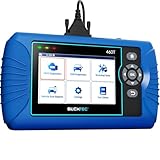
- [All System Diagnostics, Professional-Level Scanner] - BLCKTEC 460T is the ultimate OBD2 diagnostic tool for home mechanics and professionals. It supports all 10 OBD2 modes, reads and clears Engine/Transmission/ABS/SRS codes, performs All-System Diagnostics, offers workshop reset tools, and provides real-time live data. It helps you pinpoint issues, assess your car's condition, and prepare for SMOG checks with ease. NOTE: Function availability depends on your vehicle. Before you buy, be sure to use the Compatibility Checker on BLCKTEC website or contact our customer support to verify that the features you need are supported for your vehicle’s specific year, make, and model.
- [12+ Most Popular Reset Functions] - BLCKTEC 460T OBD2 scanner offers 12+ dealer-level service functions, including Oil Maintenance Reset, ABS Bleeding, EPB Reset, SAS(Steering Angle Sensor) Recalibration, DPF(Diesel Particulate Filter) Reset, Throttle Body Relearn, Battery Reset/Initialization, TPMS Relearn, Transmission Reset, Fluid Change Reset, Maintenance Reset and more, enabling you to perform workshop services like a pro. NOTE: Function availability depends on your vehicle. Be sure to use the Compatibility Checker on BLCKTEC website to verify that the features you need are supported for your vehicle.
- [Real-Time OBD2 and OEM Live Data, Freeze Frame Data] - BLCKTEC 460T helps diagnose vehicle issues when warning lights like Check Engine Light or ABS/SRS Light appear. It offers detailed DTC info, ECU Freeze Frame Data, and real-time OBD2 and advanced OEM live data, including Engine, Transmission, ABS, SRS, and more, making it easy to diagnose and resolve vehicle problems. You can view, graph, record, replay, and overlay up to four live data streams in a single graph for better analysis.
- [AutoVIN, AutoReLink, AutoScan, 3X Faster] - Equipped with AutoVIN technology, 460T automatically retrieves the VIN to save you time. Its AutoScan and AutoReLink features scan all of the vehicle's ECUs and detect any fault codes immediately after you plug the scanner into the vehicle's OBD2 port - no button presses required. Additionally, it regathers DTC and I/M readiness information every 30 seconds, simplifying monitor tests. 460T's advanced technology makes it 3X faster than other products.
- [Get RepairSolutions2, the #1 Auto Repair App for Free] - When paired with RepairSolutions2(RS2) App, 460T becomes even more powerful. RS2's Verified Fix Database built by master technicians, provides the parts needed for the repair. Additionally, RS2 gives you access to OEM warranty info, maintenance schedules, TSB, and dealership recall info, making car care easier than ever. RS2 is free with no subscription fees and it stores your car scan reports in the cloud, allowing you to access, share, or print them anytime and anywhere.
This product presentation was made with AAWP plugin.