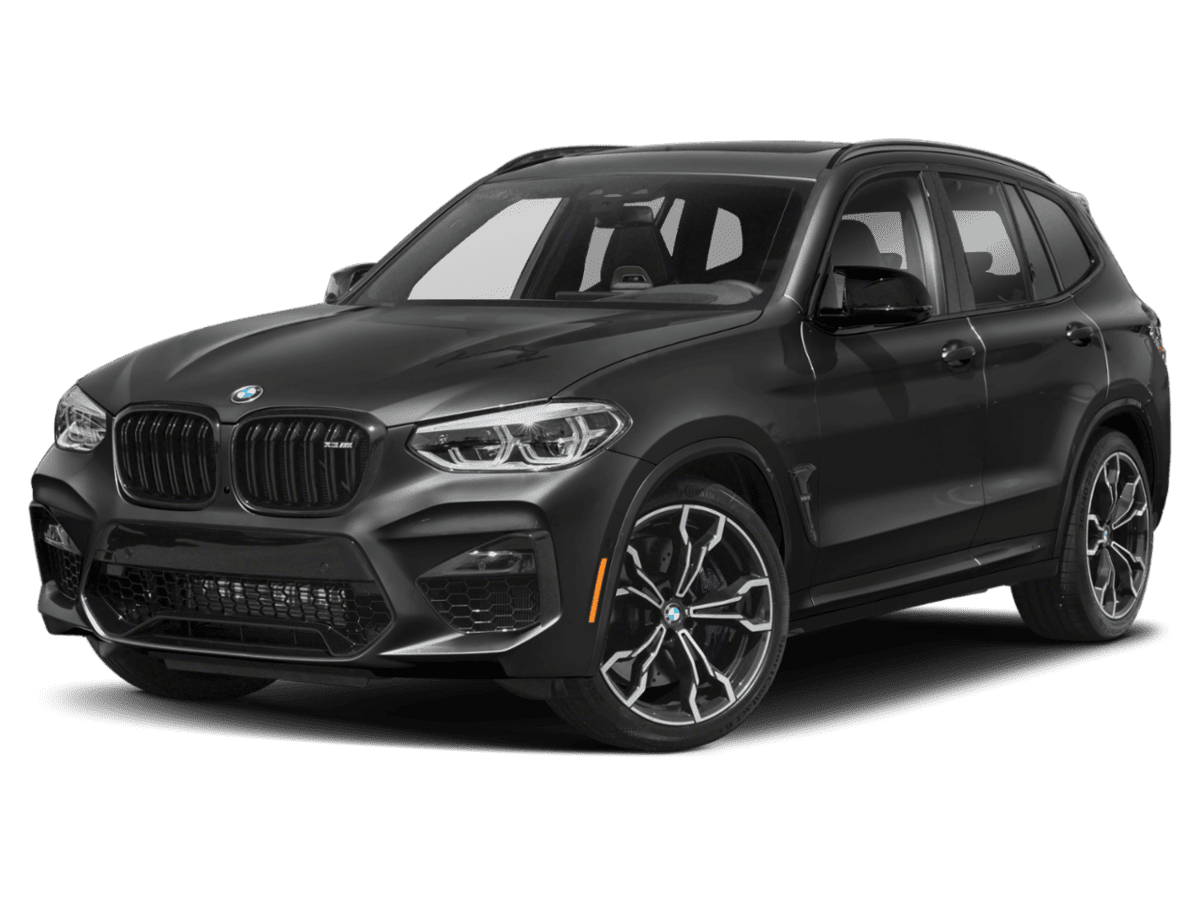
September 30, 2020 NHTSA CAMPAIGN NUMBER: 20V598000
Rearview Camera Image Obscured/FMVSS 111
If the driver relies on only the rearview camera image, the reduced rearview image view can increase the risk of a crash or injury.
NHTSA Campaign Number: 20V598
Manufacturer BMW of North America, LLC
Components BACK OVER PREVENTION
Potential Number of Units Affected 312
Summary
BMW of North America, LLC (BMW) is recalling certain 2020-2021 X3 sDrive 30i, X3 xDrive 30i, X3M 40i, X3 xDrive 30e, X4 xDrive 30i, X4M 40i, 530i, 540i, 540i xDrive, M550i xDrive, M5, 550e, 550e xDrive, and 550e iPerformance vehicles. A small portion of the rearview image may be slightly obscured. As such, these vehicles fail to comply with the requirements of Federal Motor Vehicle Safety Standard number 111, “Rear Visibility.”
Remedy
BMW will notify owners, and dealers will inspect and, if necessary, program the rearview camera with updated software. The recall began November 18, 2020. Owners may contact BMW customer service at 1-800-525-7417.
Notes
Owners may also contact the National Highway Traffic Safety Administration Vehicle Safety Hotline at 1-888-327-4236 (TTY 1-800-424-9153), or go to www.safercar.gov.
Check if your BMW has a Recall
SIB 66 14 20
2020-11-02
RECALL 20V-XXX: ENCODE CONTROL UNITS
This Service Information Bulletin (Revision 2) replaces SI B66 14 20 dated September 2020.
What’s New (Specific text highlighted):
- Model
- Situation
- Correction
- Procedure
- Warranty
Please perform the procedure outlined in this Service Information on all affected vehicles before customer delivery. In the event the customer has already taken delivery of the vehicle, please perform the procedure the next time the vehicle is in the shop.
MODEL
| E-Series | Model Description | Production Date |
| F90 | M5 Sedan | July 3, 2019 to July 8, 2020 |
| G01 | X3 Sports Activity Vehicle (SAV) | July 21, 2019 to September 9, 2020 |
| G02 | X4 Sports Activity Coupe (SAC) | August 1, 2019 to September 9, 2020 |
| G30 | 5 Series Sedan | June 28, 2019 to August 24, 2020 |
AFFECTED VEHICLES
Vehicles which require this Campaign to be completed will show it as “Open” when checked either in AIR, the “Service Menu” of DCSnet (Dealer Communication System), ISPA Next or Warranty Vehicle Inquiry.
SITUATION
BMW AG has issued a Delivery Stop (effective September 16, 2020) on Model Year 2020 – 2021 BMW 5 Series Sedan, X3 SAV and X4 SAC vehicles that were produced between June 28, 2019 and September 9, 2020.
As of September 28, 2020, this Delivery Stop has been upgraded to a Recall.
When shifting into reverse, a small portion of the rearview image may be slightly obscured, and/or the rearview image and the top view image in the CID (Central Information Display) may be swapped. The affected vehicles must be checked and re-coded if needed as outlined in the procedure below.
The Recall Notice and Q&A have been attached for further information.
This picture shows a possible failure in vehicles equipped with option 6U3 (Live Cockpit Pro – incl. Navi).
The top view and rearview images are incorrectly displayed in the wrong position (swapped) on the CID.
Here the images are displayed in the correct image position on the CID for vehicles equipped with option code 6U3 (Live Cockpit Pro – incl. Navi).
This picture shows the correct image position for vehicles without option code 6U3.
CAUSE
Software coding error in the ICAM control unit.
CORRECTION
Encode the ICAM control unit with ISTA 4.25.4x (released October 8, 2020) or higher.
Target I-level: S15A-20-07-560 or higher.
PROCEDURE
Vehicle(s) equipped with SA 6U3 (Live Cockpit Pro – incl. Navi):
1. Visually check and compare the camera image in the display to pictures 1 and 2 above in the situation.
2. If the camera image displayed in the CID matches picture 1, then skip step 3 and proceed from step 4.
3. If the camera image displayed in the CID matches picture 2, then no further action is required.
4. Connect the vehicle to ISTA.
5. Start a new programming session, go to Advanced Tab.
6. Select all control units for encoding.
7. Calculate and accept measures plan.
8. Once the encoding/programming is completed, allow the vehicle to sleep for 5 minutes.
9. Reassess the vehicle.
Note: Camera image in the CID must match the 2nd picture seen in the situation above.
10. If the image does not match picture 2, then recode the ICAM by repeating steps 5 – 9 above.
Note: Maximum ICAM coding attempts should not exceed 3. Submit a TSARA case if the image is not corrected after the 3rd coding attempt.
Vehicle(s) equipped without SA 6U3:
1. No visual inspection required; however, the ICAM control unit in these vehicles must be encoded.
2. Connect the vehicle to ISTA and start a new programming session.
3. Then go to “Advanced Tab”.
4. Select all control units for encoding.
5. Calculate and accept measures plan.
6. ISTA will prompt to encode the ICAM control unit at least 2 more times.
Note: It is extremely important that the additional coding of the ICAM control unit is performed. This ensures that the coding files are downloaded correctly.
7. Complete all concluding work recommended by ISTA.
8. Once the encoding/programming is completed, allow the vehicle to sleep for 5 minutes.
Note: With the release of ISTA 4.27.1x (expected early December 2020, pending verification) the ICAM control unit will automatically be coded multiple times.
Always connect a BMW-approved battery charger/power supply (SI B04 23 10) when performing programming.
For information on programming and coding with ISTA, refer to CenterNet / TIS / Technical Documentation / Programming and Diagnostics / Programming Documentation.
Reimbursement for this Recall will be via normal claim entry utilizing the applicable work package information below that applies:
| Defect Code: | 0061630500 | F90, G0x Encode control units (ICAM) |
Completion before the first vehicle delivery to a customer or the vehicle is already in the workshop
| Work Pkg | Labor Operation | Description (Plus work) | Labor Allowance |
| # 1 | 00 69 917 | Encoding the ICAM and other vehicle control units (includes connecting an approved battery charger/power supply and performing a vehicle test) (Camera image displayed in the CID matches picture 1) | 8 FRU |
| Or: | |||
| # 2 | 00 69 918 | Programming and encoding the vehicle control units was performed in conjunction with another campaign/repair, either prior to or during this workshop visit (vehicle is already at the specified “Target” integration level or higher, no repair is necessary) | 1 FRU |
| Or, if applicable: | |||
| # 5 (New) |
00 70 513 | Vehicles equipped with SA 6U3: Visual inspection for correct image layout in CID (Camera image displayed in the CID matches picture 2, no repair is necessary) | 3 FRU |
Or:
The vehicle arrives at your center and this Recall shows open (No other main work will be performed or claimed during this workshop visit)
| Work Pkg | Labor Operation | Description (Main work) | Labor Allowance |
| # 3 | 00 69 361 | Encoding the ICAM and other vehicle control units (includes connecting an approved battery charger/power supply and performing a vehicle test) (Camera image displayed in the CID matches picture 1) | 10 FRU |
| Or: | |||
| # 4 | 00 69 362 | Programming and encoding the vehicle control units was performed in conjunction with another campaign/repair prior to this workshop visit (vehicle is already at the specified Target integration level or higher, no repair is necessary) | 1 FRU |
| Or, if applicable: | |||
| # 6 (New) | 00 70 011 | Vehicles equipped with SA 6U3: Visual inspection for correct image layout in CID (Camera image displayed in the CID matches picture 2, no repair is necessary) | 5 FRU |
Only one of the flat rate labor operation codes listed above can be used for claim submission and reimbursement. Also, only one Main work flat rate labor operation code can be claimed per workshop visit.
Claim Repair Comments
Only reference the SIB number and the work package (Pkg) number performed in the RO technician notes and the claim comments (For example: B66 14 20 WP 1), unless otherwise required by State law.
Programming and Encoding – Vehicle Control Units (RO and Claim Comments Required)
The programming procedure automatically reprograms and encodes all vehicle control modules which do not have the latest software I-level. If one or more control module failures occur during this programming procedure:
Please claim this consequential control module related IRAP recovery procedure (when applicable as required)/repair work under the defect code listed in this bulletin with the applicable AIR labor operations.
Please explain this additional work (The why and what) on the repair order and in the claim comments section
For control module failures that occurred prior to performing this programming procedure:
When covered under an applicable limited warranty, claim the applicable test plan and the corresponding control module-related repair work using the applicable defect code and labor operations in AIR (including diagnosis).
As applicable to your center, please refer to SI B01 01 20 or B01 07 20 for claiming your diagnosis work time (WT), WT and repair explanation procedures.
QUESTIONS REGARDING THIS BULLETIN
| Technical inquiries | Submit feedback at the top of this bulletin |
| Warranty inquiries | Submit an IDS ticket to the Warranty Department |
| Parts inquiries | Submit an IDS ticket to the Parts Department |
Supporting Materials
picture_as_pdf B661420_20V-598-Rearview Camera-FAQ-(27Oct2020).pdf
picture_as_pdf B661420 Recall Notice.pdf
Attachment to B66 14 20
October 2020
NON-COMPLIANCE RECALL NOTICE
To: All Center Operators, Sales Managers, Service Manager, Parts Manager and Warranty Processor
RE: Recall 20V-xxx: Rearview Camera – B66 14 20
BMW AG is conducting a Voluntary Non-Compliance Recall (effective September 28, 2020) on Model Year 2020 – 2021 BMW 5 Series Sedan, X3 SAV and X4 SAC vehicles that were produced between June 28, 2019 and September 9, 2020.
Please be reminded that it is a violation of federal law (The Safety Act) for you to sell, lease or deliver any new motor vehicle covered by this notification until the recall repair has been performed. This means that centers may not legally deliver new motor vehicles to consumers until they are fixed or use/sell replacement equipment/parts subject to this recall. Note also that substantial civil penalties apply to violations of the Safety Act.
Also, you should not sell, lease or deliver any Certified Pre-Owned or used vehicles subject to a safety recall until the repair is completed.
Please follow any special instructions that we provide to you for the return or disposition of recall parts.
We appreciate all your assistance with this Recall.
Attachment to B66 14 20
September 2020
Non-Compliance Recall
20V-xyz
Rearview Camera
Model Year 2021
BMW X3 SAV, X4 SAC
Issue Date: 09/28/2020
Last Update: 10/27/2020
Q1. Which BMW models in the US are potentially affected by this Non-Compliance Recall?
A small number of Model Year 2020-2021 BMW 5 Series, X3 SAV and X4 SAC models in the US
are potentially affected.
Q2. What is the specific issue?
When shifting into Reverse, a small portion of the rearview image may be slightly obscured.
Q3. Why are other models / vehicles not included in this Non-Compliance Recall?
Other models have appropriate software programming for the rearview camera.
Q4. Can I continue to drive my vehicle?
Yes. However, when you receive a letter from BMW advising you of this recall, you should make an appointment to have this important Non-Compliance Recall performed by an authorized BMW center as soon as possible. If you are not the only driver of this vehicle, please advise all other drivers of this important information.
Q5. Can I determine if this issue exists in my vehicle?
No.
Q6. How did BMW become aware of the issue?
BMW became aware of the issue through our quality control procedures.
Q7. How will I be informed of this Non-Compliance Recall?
Letters will be mailed to owners in November via First Class mail advising them of this Non-Compliance Recall and requesting them to schedule an appointment with an authorized BMW center to have the remedy performed. Owners can locate their nearest authorized BMW center at www.bmwusa.com/dealer. To ensure BMW has the most recent contact and vehicle information, owners should register their vehicle at www.bmwusa.com/myBMW. Registration is free, and will give them access to factory-initiated campaigns and other information specific to their BMW.
Q8. How will my vehicle be remedied?
Vehicles will be inspected and, if necessary, the rearview camera software will be updated for free and will take about one hour.
Q9. Do I have to wait for my letter to have my vehicle serviced?
No. Please contact an authorized BMW center immediately to schedule an appointment to have this NonCompliance Recall performed for free as soon as possible. For the latest updates to this Non-Compliance Recall, please visit www.bmwusa.com/recall.
SEOCONTENT-START
SAMPLE
Company
BMW
of North America, LLC
BMW Group Company
Mailing Address
PO Box 1227
Westwood NJ 07675-1227
Telephone
(800) 525-7417
Fax
(201) 930-8362
E-mail
CustomerRelations@
bmwusa.com
Internet
bmwusa.com
November 2020
Dear BMW Owner / Lessee:
This notice is sent to you in accordance with the National Traffic and Motor Vehicle Safety Act. BMW AG has
decided that certain Model Year 2020-2021 BMW 5 Series, M5, X3 SAV and X4 SAC models fail to conform to
Federal Motor Vehicle Safety Standard (FMVSS) Number 111 (Rear visibility). Our records indicate that you are
the owner of a potentially affected vehicle.
Why are we contacting you?
We are pleased to inform you that we are ready to perform this recall. Please contact your authorized BMW
Center immediately to have this important free repair performed as soon as possible. To locate your
nearest BMW center, visit www.bmwusa.com/dealer. If you are not the only driver of this vehicle, please advise
all other drivers and passengers of this important information.
What could happen?
When shifting the transmission into Reverse, a small portion of the rearview image may be slightly obscured. If
you attempted to rely solely on the camera image, e.g., instead of using the vehicle mirrors and the rear Park
Distance Control (PDC) sensors (if equipped), this could increase the risk of a crash or injury to persons who may
be behind the vehicle.
What will BMW do?
Your vehicle will be inspected and, if necessary, the rearview camera software will be updated for free and should
take about one hour. There may be some options to help overcome the inconvenience of bringing your vehicle
in for service, if needed. Contact your local BMW center to check what may be available.
What if I am not the current owner of this vehicle?
If you changed your address or sold the vehicle, please let us know by visiting www.bmwusa.com/mybmw or by
contacting BMW Customer Relations (see left side of page for contact info). If you are a vehicle lessor, Federal
Regulations require you to forward this notice to your lessee within ten days.
What if I have additional questions?
For the latest updates to this recall, please visit www.bmwusa.com/recall. Should you have any questions about
this recall, please contact your authorized BMW center. If you need additional assistance, please contact BMW
Customer Relations.
If your BMW center is unable to remedy the defect without charge or within a reasonable period of time, you may
notify the Administrator, National Highway Traffic Safety Administration, 1200 New Jersey Ave., S.E.,
Washington, DC 20590, call the toll-free Vehicle Safety Hotline at 1-888-327-4236 (TTY: 1-800-424-9153), or
go to https://www.safercar.gov.
Please be assured that your safety is important to us, and we sincerely apologize if this recall causes any
inconvenience. We recommend that you and your passengers wear your safety belt at all times.
Sincerely,
BMW of North America, LLC
Spanish translation on back side
Traducción en español en el lado inverso
Remedy is
Available
BMW
IMPORTANT NON-COMPLIANCE RECALL
This notice applies to your vehicle,
Recall Campaign No. 20V-598: Rearview Camera
Company
Mailing Address
Telephone
SAMPLE
Empresa
BMW
of North America, LLC
Compañía de BMW Group
Dirección postal
PO Box 1227
Westwood, NJ 07675-1227
Teléfono
(800) 525-7417
Fax
(201) 930-8362
Correo electrónico
CustomerRelations@
bmwusa.com
Sitio web
bmwusa.com
Noviembre de 2020
Estimado propietario o arrendatario de un vehículo BMW:
Le enviamos este aviso en virtud de la Ley Nacional de Seguridad de Tránsito y Vehículos (National Traffic and
Motor Vehicle Safety Act). BMW AG ha determinado que algunos vehículos BMW de los modelos M5, X3 SAV y
X4 SAC, Serie 5, de los años 2020-2021, no cumplen con el Estándar Federal de Seguridad de Vehículos (Federal
Motor Vehicle Safety Standard) n.º 111 (Visibilidad trasera). Según nuestros registros, usted es propietario de un
vehículo que podría estar afectado.
¿Por qué nos ponemos en contacto con usted?
Nos complace informarle que estamos listos para realizar esta retirada. Comuníquese de inmediato con el
centro autorizado de BMW para que le hagan esta importante reparación gratis lo antes posible. Para
buscar el centro de BMW más cercano, visite www.bmwusa.com/dealer. Si usted no es la única persona que
conduce este vehículo, comparta esta información importante con todos los demás conductores y pasajeros.
¿Qué podría suceder?
Al poner la marcha atrás, es posible que se vea algo oscura una pequeña parte de la imagen del retrovisor. Si solo
usa la imagen de la cámara, por ejemplo, en vez de usar los espejos del vehículo y los sensores traseros del
control de distancia de estacionamiento (PDC) (si el vehículo los tiene), esto podría aumentar el riesgo de
accidentes o lesiones a personas que estén detrás del vehículo.
¿Qué hará BMW?
Se inspeccionará su vehículo y, si es necesario, se actualizará el software de la cámara retrovisora gratis, lo que
podría tomar aproximadamente una hora. Podría haber algunas opciones en caso de que sea un inconveniente
traer el vehículo para repararlo, si fuera necesario. Comuníquese con su centro local de BMW para ver cuáles son
las opciones disponibles.
¿Qué ocurre si no soy el propietario actual de este vehículo?
Si cambió su dirección o vendió el vehículo, avísenos en www.bmwusa.com/mybmw o comunicándose con el
Servicio de Atención al Cliente de BMW (BMW Customer Relations) (lea la información de contacto en el lado
izquierdo de la página). Si usted es arrendador del vehículo, las reglamentaciones federales exigen que
reenvíe este aviso a su arrendatario en un plazo de diez días.
¿Qué debo hacer si tengo más preguntas?
Para ver las últimas actualizaciones sobre esta retirada, visite el sitio web www.bmwusa.com/recall. Si tiene
alguna pregunta sobre esta retirada, comuníquese con el centro autorizado de BMW. Si necesita asistencia
adicional, comuníquese con el Servicio de Atención al Cliente de BMW.
Si el centro de BMW no puede resolver el defecto sin cargo o en un plazo razonable, usted puede notificar al
administrador de la Administración Nacional de Seguridad de Tránsito en Carreteras (National Highway Traffic
Safety Administration), 1200 New Jersey Ave., S.E., Washington, DC 20590; llamar a la Línea gratuita directa de
seguridad vehicular (Vehicle Safety Hotline) al 1-888-327-4236 (TTY: 1-800-424-9153); o visitar
https://www.safercar.gov.
Le aseguramos que nos importa su seguridad y le pedimos sinceras disculpas si esta retirada le causa algún
inconveniente. Recomendamos que usted y sus pasajeros usen el cinturón de seguridad en todo momento.
Atentamente.
BMW of North America, LLC English version on front side
Versión en inglés en el frente
El repuesto está
disponible
BMW
IMPORTANTE RETIRADA POR MOTIVOS DE INCUMPLIMIENTO
Este aviso se aplica a su vehículo,
Campaña de retirada n.º 20V-598: Cámara retrovisora
Company
Mailing Address
Telephone
SEOCONTENT-END
14 Affected Products
Vehicles
| MAKE | MODEL | YEAR |
| BMW | 530I | 2020-2021 |
| BMW | 540I | 2020-2021 |
| BMW | 550E | 2020-2021 |
| BMW | M5 | 2020-2021 |
| BMW | M550I | 2020-2021 |
| BMW | X3 | 2020-2021 |
| BMW | X4 | 2020-2021 |
8 Associated Documents
Recall Quarterly Report #1, 2020-4
RCLQRT-20V598-5931.PDF 211.134KB
Remedy Instructions and TSB
RCRIT-20V598-0733.pdf 703.721KB
Recall 573 Report – Amendment 1
RCLRPT-20V598-5490.PDF 217.401KB
Manufacturer Notices(to Dealers,etc) – Broadcast Message re BMW 20V-xxx: Encode Control Units (Rearview Camera)
RCMN-20V598-4246.pdf 219.356KB
Remedy Instructions and TSB
RCRIT-20V598-0239.pdf 219.356KB
Noncompliance Notice 573 Report
RCLRPT-20V598-4851.PDF 215.62KB
Recall Acknowledgement
RCAK-20V598-5184.pdf 248.035KB
Owner Notification Letter(Part 577)
RCONL-20V598-1984.pdf 746.527KB
Latest Recalls Documents
BMW Diagnostic & Reprogramming
Introduction
The Online Service System (OSS) has been developed specifically for independent automotive workshops to provide an extensive range of resources. The following applications are available in the OSS:
ISTA Diagnosis Application
Vehicle diagnostics from the Z3/E36, with the BMW ICOM, or with a J2534 pass-thru tool (from model year 1996).
- Fault Code Diagnosis
- Test Plans
- Repair Instructions (E30 or higher)
- Technical Data
- Wiring diagrams
Web ISTA Information Application
WebISTA has been developed to provide an information only application for users that do not require all of the services included in the ISTA diagnostics application.
- Repair Instructions (E30 or higher)
- Technical Data
- Tightening torques
- Wiring diagrams
You can search using document title, document number and subject areas as the search criteria. The desired information is displayed by means of graphics and explanatory text.
ISTA/P Online - Control Module Reprogramming
With ISTA/P you can reprogram the onboard control modules that are capable of software reprogramming. For ISTA/P, a data interface, a power supply and an Internet connection are required. The data interface can be a BMW Group ICOM interface or a "Pass-Thru Tool (PTT)" that fulfills the requirements of the SAE J2534 standard.
What is needed to diagnose and program with the BMW OSS?
The OSS consists of a desktop or laptop PC connected to BMW over the Internet. To connect to the vehicle you can use the BMW authorized diagnostic interface "integrated communication optical module (ICOM)" or use a J2534 "Pass Thru Tool (PTT)".
Note
Connection to OSS works only on PCs where no proxy connections are used.
For information about vehicle reprogramming and diagnostics using J2534 click here.

- J2534 Pass-Thru Programmer: TOPDON RLink J2534 is an advanced diagnostic and reprogramming tool that support all J2534 protocols, as well as D-PDU, CAN-FD and DoIP, ensuring compatibility with a wide range of modern vehicles. It offers extensive versatility with support for over 18 major automotive brands, including Chrysler, Ford, GM, Nissan, Toyota, Honda, Subaru, Land Rover/Jaguar, Volvo, Wuling, Volkswagen/Audi, Mercedes-Benz, and BMW. NOTE: Not compatible with Ford IDS diagnostic software
- All-in-One OEM Diagnostics: This J2534 ECU programming tool elevates your automotive repair capabilities to new heights by delivering complete OEM diagnosis. Boasting comprehensive full-system diagnostics, intuitive repair guides, advanced ECU programming and coding, common reset services, a vast library of repair information and more, this all-in-one solution empowers technicians to effortlessly tackle complex vehicle issues with ease. *Not compatible with 24V vehicles
- Proven Performance You Can Trust: Backed by over 10000 real vehicle tests and benefit from a wealth of practical experience, this OEM reprogramming tool guarantees stable and exceptional performance. Supported by TOPDON's dedicated technical experts with in-depth knowledge of both auto repair and J2534 Pass-Thru programming, the RLink J2534 provides prompt and professional assistance, ensuring a smooth setup and reliable compatibility
- Integrated Excellence, Always Up-to-Date: Featuring the exclusive RLink Platform to provide a streamlined experience with one-click driver installation and management, ensuring flawless integration with your OE software, maintaining the original performance quality. The built-in operation guide makes mastering OE software quick and easy, so you can get started right away. Plus, with lifetime free updates, your diagnostics will stay current with the latest drivers and innovations
- Efficiency Meets Versatility: Engineered to support three CAN channels simultaneously - CAN FD and CAN-CC included, giving you the edge in fast troubleshooting. To perfectly synchronized with the OE software, please diagnose with active subscriptions and make sure your computer system is running a compatible 64-bit Windows version (7, 8, 10 or later) to fully leverage the power of RLink J2534. *We don't provide extra OE software

- Advanced VCI Box, Industry-leading J2534 Pass-Thru Technology: This J2534 Pass-Thru Programmer is designed espically for technicians, independent shop owners, and DIY enthusiasts, enables fast, reliable computer-based programming. It supports all J2534 protocols—including the latest DoIP and CAN FD—ensuring full compatibility with both legacy and next-generation vehicles.
- High-Speed OEM-Level Diagnostics & Programming: Unlock true OEM functionality with comprehensive system diagnostics, guided troubleshooting, coding, adaptations, resets, and programming—all designed to slash repair time. This all-in-one tool eliminates the need for multiple OEM devices, boosting efficiency and cutting costs. Equipped with High-Speed USB, it delivers 10x more data per second than competing solutions
- Coverage for 17 Car Brands & Ultra Reliability: Works seamlessly for Chrysler, for Ford(Forscan), for GM, for Nissan, for Toyota, for Honda, for Subaru(SSM4), for Land Rover/Jaguar, for Volvo, for Wuling, for Volkswagen, for Mercedes-Benz, and for BMW. Backed by over 10000 real vehicle tests and benefit from a wealth of practical experience, this OEM reprogramming tool guarantees stable and exceptional performance
- User-Friendly RLink Platform & Expert Support: TOPDON’s proprietary driver management platform offers a clean interface and lifetime free updates. Access a rich library of real-world case studies to stay ahead of the curve. Backed by a support team with 10+ years of J2534 and automotive repair experience, we provide one-on-one assistance to resolve any technical issue.
- 6.6 ft USB-C Cable & Portable Storage Case: The RLink J2534 diagnostic tool features a 6.6ft USB 2.0 Cable and a 1.2 ft OBDII Extension Cable, allows to connection your computer easily outside the vehicle. The included handled carry case offers easy portability, storage, and hanging options—keeping your gear clean and ready to go, anywhere.

- Dual WiFi & 10.1" Touchscreen: Provides a stable, high-speed wireless link 3x faster than bluetooth, and a responsive, professional interface. Topdon ONE obd2 scanner diagnostic tool ensures smooth, non-lagging diagnostic scan, boosting mechanic efficiency
- J2534 Pass-Thru Support: The included ONE VCI supports the J2534 standard, allowing it to function as a pass-thru device when paired with OEM diagnostic software.Through TOPDON’s RLink platform, technicians can perform dealer-level coding, expanding in-house capabilities without investing in multiple factory automotive scan tools
- OE Topology Mapping: Visualize the vehicle’s ECU network exactly as it’s built.Zoom, pan, and highlight specific modules to pinpoint component issues with precision.Topology mapping displays real-time communication between modules
- 50+ Service Functions: Covers high-demand services like ADAS calibration, DPF regen, TPMS reset, ABS bleed, and throttle adaptation.Expands your service menu, allows you to charge premium rates, and turns away zero jobs due to lack of tooling. Vehicle-specific functionality may vary
- Advaned ECU Coding: 10 of the most serviced brands in North America, including full ECU coding and flash hidden support for BMW, VW, Au-di, Benz, Porsche, Toyota, Ni ssan and more. Enables module replacement, feature customization, and personal settings with automatic backup or restore.Lets your shop safely offer high-margin customization services, attracting more customers and boosting profit

- [J2534 Pass-Thru Programmer] - TOPDON RLink J2534 is engineered for professional technicians, delivering OEM diagnostic and reprogramming capabilities. It supports all J2534 protocols, CAN-FD, DoIP, D-PDU. Compatible with 17 vehicle brands—such as Chrysler, Ford, GM, KIA, Hyundai, Nissan, Toyota, Honda, Subaru, Mitsubishi, MAZDA, Land Rover/Jaguar, Volvo, Volkswagen/Audi, Mercedes-Benz, and BMW. RLink J2534 can help reduce the cost of purchasing equipment from different brands.
- [All-in-One OEM Reprogramming and Diagnostics] - When seamlessly integrated with OEM diagnostic software, this dongle enables you to perform a wide range of functions, including ECU programming and coding, DTC reading and clearing, active tests, component matching, adaptations, rewriting, guided troubleshooting, and more. This all-in-one tool eliminates the need for multiple OEM devices, significantly boosting work efficiency.
- [Tested, Trusted, and Proven for Accuracy] - TOPDON RLink J2534 is renowned for its reliability, having successfully completed over 10,000 real-vehicle tests. The wealth of data and hands-on experience behind it ensures consistent performance and accurate results. You can trust this tool to deliver optimal performance.
- [One-Click Installation, Continuous Updates] - The exclusive TOPDON RLink platform streamlines installation with a one-click driver setup, allowing you to quickly access OEM software for diagnostic and reprogramming tasks. With lifetime free updates, your RLink J2534 stays current without any additional cost, ensuring reliable performance for the long term. *We don't provide extra OE software.
- [Works with Windows Compatibility and OEM Software Subscription] - The RLink J2534 supports three CAN channels - including CAN FD and CAN-CC, providing advantages in the process of rapid troubleshooting. Compatible with Windows 7, 8 and 10 (64-bit) and higher versions of the system. For full functionality, an active OEM software subscription is required for each supported vehicle brand. Please note that the dongle does not include OEM software, which must be purchased separately to access brand-specific diagnostic and reprogramming features.
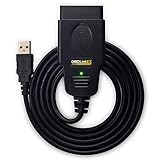
- CUSTOM-DESIGNED FOR USE WITH FORSCAN: Works with all FORScan compatible vehicles and is recommended by the FORScan Team
- DEALERSHIP-LEVEL DIAGNOSTICS: OBDLink EX supports all Ford protocols, modules, and advanced features of FORScan
- ELECTRONIC SWITCH allows FORScan to access all CAN buses simultaneously and enables advanced functions not possible with “toggle switch” adapters
- MAXIMUM THROUGHPUT -- up to 20 times faster than “toggle switch” adapters
- ROCK-SOLID CONNECTION avoids data corruption and dropped packets

- 【J2534 Pass-Thru Device】 This budget-friendly J2534 pass-thru device delivers OEM diagnostics and reprogramming capabilities for dealerships, repair shops and automotive DIY enthuisasts, enables you diagnose, program and repair the vehicles more efficiently and precisely. Supporting J2534, D-PDU, CAN-FD and DoIP, this J2534 passthru tool ensures wide vehicle coverage. It's compatible with OE software application, ensuring seamless integration and original performance quality
- 【All-in-One Diagnostic Tool】 Simplify your workflow and tackle the complex diagnostics and repairs with confidence! This J2534 passthrough tool provides full system diagnosis, bi-directional control, maintenance reset services, ECU programming and ECU coding to run advanced diagnostics and programming. Equipped with the specialized platform, this J2534 pass-thru tool is fully compatible with OE software that helps technicians confidently handle complicated vehicle repair issues
- 【J2534 Diagnostic Tool】 The Tabscan J2534 pass-thru device is built with a dedicated platform, making it ideal for both professional and personal use. Simply download the driver for your ford vehicle within the platform—ensuring only one driver is installed at a time. Then connect the device to your vehicle’s OBD2 port and link it to your computer using the included USB A to USB C cable. Finally launch your OE software, select Tabscan J2534 VCI as interface, and begin diagnose and program
- 【Universal Compatibility】 Tabscan J2534 reprogramming tool is designed to be compatible with Ford vehicles for advanced diagnostics and programming. It supports J2534 protocols, along with D-PDU, CAN-FD and DoIP, ensuring seamless connectivity with older or modern vehicles. This J2534 diagnostic tool only works with computer running on windows 7/10/11. Vehicle compatibility varies by model or year, please confirm with us before purchase. Note: It's not compatible with 24V vehicles
- 【Professional Technical Support】 Tabscan J2534 pass-thru device provides a stable and seamless connection between your vehicle and computer for diagnostics, programming, and coding. But that's not all—we go beyond hardware. Our dedicated technical support team brings deep expertise in automotive diagnostics and programming. Whether you need help with setup, troubleshooting or latest diagnostic resources and upgrades, we provide fast, professional and reliable support every step of the way
This product presentation was made with AAWP plugin.