
May 20, 2020 NHTSA CAMPAIGN NUMBER: 20V283000
Air Bags May Not Deploy in Rollover
If the safety systems do not deploy as intended in a roll over crash, it may increase the risk of injury.
NHTSA Campaign Number: 20V283
Manufacturer BMW of North America, LLC
Components AIR BAGS
Potential Number of Units Affected 76
Summary
BMW of North America, LLC (BMW) is recalling certain 2020 X1 xDrive28i, X1 sDrive28i, X2 xDrive28i and X2 sDrive28i, 2020 MINI Clubman Cooper S All4, 2021 MINI Hardtop 2 Door (Cooper, Cooper S, John Cooper Works and Cooper S E) and MINI Hardtop 4 Door (Cooper and Cooper S) vehicles. Due to a problem with the rollover sensor within the air bag control unit, in the event of a rollover crash, the head air bag, seat belt pretensioners and other safety systems, may not activate.
Remedy
BMW will notify owners, and dealers will replace the air bag control unit, free of charge. This recall began July 17, 2020. Owners may contact BMW customer service at 1-800-525-7417 or MINI customer service at 1-866-825-1525.
Notes
Owners may also contact the National Highway Traffic Safety Administration Vehicle Safety Hotline at 1-888-327-4236 (TTY 1-800-424-9153), or go to www.safercar.gov.
Check if your BMW has a Recall
SIB 65 11 20
2020-05-29
RECALL 20V-283: ROLLOVER SENSOR
This Service Information Bulletin (Revision 2) replaces SI B65 11 20 dated May 2020.
What’s New (Specific text highlighted):
- All sections updated except Model and Situation
- Repair instructions attached.
Please perform the procedure outlined in this Service Information on all affected vehicles before customer delivery. In the event the customer has already taken delivery of the vehicle, please perform the procedure the next time the vehicle is in the shop.
MODEL
| E-Series | Model Description | Production Date |
| F39 | X2 Sports Activity Coupe | March 18, 2020 – March 19, 2020 |
| F48 | X1 Sports Activity Vehicle | March 18, 2020 – March 19, 2020 |
AFFECTED VEHICLES
Affected vehicles which require this Campaign to be completed will show it as “Open” when checked either in AIR, the “Service Menu” of DCSnet (Dealer Communication System), ISPA NEXT or Warranty Vehicle Inquiry.
SITUATION
BMW AG has upgraded this campaign to a Safety Recall (effective May 20, 2020) which was initially released as a Delivery Stop on May 8, 2020. This recall affects a small number of Model Year 2020 BMW X1 SAV and X2 SAC vehicles that were produced on March 18, 2020 and March 19, 2020.
The rollover sensor may not have been produced to specifications by the supplier. In a rollover, the head air bag and safety belt pretensioner may not deploy as intended which could increase the risk of injury.
The Recall notice and Q&A have been attached for further information.
CAUSE
The rollover sensor, internal to the Air Bag Control Unit (ACSM), may not have been produced to specifications by the supplier.
CORRECTION
Replace the ACSM Air Bag Control Unit.
PROCEDURE
Perform diagnosis with the latest version of ISTA.
Replace airbag control unit according to Repair Instructions 65 77 016.
Program the vehicle using the latest version of ISTA.
Note that ISTA 4 will automatically reprogram and code all programmable control modules that do not have the latest software.
Always connect a BMW-approved battery charger/power supply (SI B04 23 10). For information on programming and coding with ISTA, refer to CenterNet / TIS / Technical Documentation / Diagnostics and Programming / Programming Documentation.
PARTS INFORMATION
Only use and invoice the part number below that apply.
Performing a part number look-up in ETK (EPC) by VIN or model in place of using/invoicing the following part number may result with the wrong part number being invoiced and installed, this could delay the payment of the claim.
Please refer to the Parts Matrix for the parts ordering information.
| Part Number | Description | Quantity |
| 65 77 9 873 244 | Control Unit Airbag | 1 |
Additionally, other small parts that are not specified above, such as one-time use screws, nuts and seals, which must be replaced according to the ISTA repair instructions/ETK, must be selected from the Electronic Parts Catalogue according to the respective vehicle type and invoiced under the special defect code.
WARRANTY INFORMATION
During this workshop visit, the affected vehicle may also show one or more programming and encoding Technical Campaign repairs open, the programming and encoding procedure may only be invoiced one time.
Replace the air bag control unit and update the vehicle to the required i-level by performing and submitting for this Recall Campaign.
For the other open campaign repairs, please be sure to also perform any additional work (before and/or after) these repairs require and/or close the remaining programming and encoding Technical Campaign repairs as outlined in the corresponding Service Information Bulletin.
Reimbursement for this Recall will be via normal claim entry utilizing the applicable work package information below that applies and the part number listed above:
| Defect Code: | 0065350300 |
Completion before the first vehicle delivery to a customer or the vehicle is already in the workshop
| Work Pkg | Labor Operation | Description (Plus work) | Labor Allowance |
| # 1 | 00 69 666 | Replacing air bag control unit, programming/encoding vehicle control units (includes connecting an approved battery charger/power supply and performing a vehicle test) | 23 FRU |
| Or: | |||
| # 2 | 00 69 667 | Replacing air bag control unit, (programming/encoding vehicle control units was performed in conjunction with another campaign or repair during the same workshop visit) | 15 FRU |
Or:
The vehicle arrives at your center and this Recall shows open (No other main work will be performed or claimed during this workshop visit)
| Work Pkg | Labor Operation | Description (Main work) | Labor Allowance |
| # 3 | 00 69 155 | Replacing air bag control unit, programming/encoding vehicle control units (includes connecting an approved battery charger/power supply and performing a vehicle test) | 25 FRU |
Only one of the flat rate labor operation codes listed above can be used for claim submission/reimbursement purposes. Also, only one Main work flat rate labor operation code can be claimed per workshop visit.
Claim Repair Comments
Only reference the SIB number and the work package (Pkg) number performed in the RO technician notes and the claim comments (For example: B65 11 20 WP 1), unless otherwise required by State law.
And, as applicable:
Alternative Mobility Solution (AMS) for Vehicle Owners (RO and Claim Comments Required)
This Recall repair qualifies for Alternative Mobility Solution (AMS) expense reimbursement, claim this item under the Defect Code noted above as follows:
Sublet Code 2 – Itemize the AMS sublet amount on the repair order and in the claim comment section.
Please refer to SI B01 29 16 for additional information.
Programming and Encoding – Vehicle Control Units (RO and Claim Comments Required)
The programming procedure automatically reprograms and encodes all vehicle control modules which do not have the latest software I-level. If one or more control module failures occur during this programming procedure:
Please claim this consequential control module-related repair work (including performing the IRAP Control Unit Recovery procedure first as required, refer to the SIB in AIR) under the defect code listed in this bulletin with the applicable AIR labor operations.
Please explain this additional work (The why and what) on the repair order and in the claim comments section
For control module failures that occurred prior to performing this programming procedure:
When covered under an applicable limited warranty, claim the applicable test plan and the corresponding control module-related repair work using the applicable defect code and labor operations in AIR (including diagnosis with separate punch times).
Supporting Materials
picture_as_pdf B651120 Recall Notice.pdf
picture_as_pdf B651120_2020-BMW-MY2020-Fxx-RolloverSensor-QA-(20May2020).pdf picture_as_pdf B651120_REP 65 77 016.pdf
SAFETY RECALL NOTICE
To: All Center Operators, Sales Managers, Service Manager, Parts Manager and Warranty Processor
RE: Recall 20V-xxx: Rollover Sensor – B65 11 20
BMW AG is conducting a Voluntary Safety Recall (effective May 20, 2020) for a small number of Model Year 2020 BMW X1 SAV and X2 SAC vehicles that were produced on March 18, 2020 and March 19, 2020.
Please be reminded that it is a violation of federal law (The Safety Act) for you to sell, lease or deliver any new motor vehicle covered by this notification until the recall repair has been performed. This means that centers may not legally deliver new motor vehicles to consumers until they are fixed or use/sell replacement equipment/parts subject to this recall. Note also that substantial civil penalties apply to violations of the Safety Act.
Also, you should not sell, lease or deliver any Certified Pre-Owned or used vehicles subject to a safety recall until the repair is completed.
Please follow any special instructions that we provide to you for the return or disposition of recall parts.
We appreciate all your assistance with this Recall.
Removing and installing airbag control unit (with centre armrest).»
RISK OF DAMAGE
Scratches.
Tools and sharp-edged components can cause scratches.
- Protect working area.
- Handle tools and components carefully.
Preliminary work
Disconnecting all battery ground leads
Further information is available.
- See additional information.
Removing the instrument panel trim at bottom right
- Loosen nuts (1 ).
- Lower the instrument panel trim slightly at the bottom right (2) and disconnect the plug connection behind it.
- Guide the instrument panel trim at the bottom right (2) from the front guides and remove it.
Removing the side trim panel for the left and right centre console
Removing side trim panel for the left centre console
- Loosen screw (1 ).
- Release side trim panel (2) for the centre console from retaining clips (3).
- Remove side trim panel (2) for the centre console from guides (4) and remove it.
Removing the side trim panel for the right center console
- Loosen screw (1 ).
- Release the side trim panel for the center console (2) from the retaining clips (3).
- Remove the side trim panel for the center console (2) from the guides (4).
Remove gearshift lever cover
- Use wedges (1) to unclip the gaiter and pull it off upward.
- Remove the gearshift lever knob and the gaiter by means of a powerful jolt vertically upwards. In doing so, the tie rod must not be bent or damaged.
- Ensure that the gearshift lever knob is not twisted when removing, otherwise the anti-twist lock in the gearshift lever knob will be sheared off.
Remove the decorative trim from the centre console
RISK OF DAMAGE
Scratches.
Tools and sharp-edged components can cause scratches.
- Protect working area.
- Handle tools and components carefully.
- Lever out and remove cover (1) with the special tool 0 496 571 (00 9 327).
- Loosen screws (2).
- Lever out and remove cover (1) with the special tool 0 496 571 (00 9 327).
- Loosen screws (2).
- Remove insert (1) with the special tool O 496 571 (00 9 327).
- Loosen screw (2).
- Lever out trim (3) from clamps (4) towards the rear with the special tool O 496 571 (00 9 327).
- Unfasten plug connection.
- Remove the trim (3).
- Loosen screw ( 1 ).
- Remove decorative trim (2) and disconnect all the plug connections.
- Remove decorative trim (2).
- Loosen screw ( 1 ).
- Release centre console trim (2) from clamps (3) with the special tool O 496 569 (00 9 325).
- Lift centre console trim (2).
- Loosen screws ( 1 ).
- Remove parking brake button (2) from centre console trim (3) and place it down.
The plug connection must not be disconnected. - Disconnect the remaining plug connections and remove centre console trim (3).
Removing the front storage compartment
- Lever storage compartment (1) at top from the clamps (2).
- Fold storage compartment (1) so far back that it can be lifted from the guides (3).
- Disconnect plug connections and remove the storage compartment (1 ).
Removing the rear centre console trim
- Lever out and remove centre console trim (1) with the special tool 0 496 569 (00 9 325) from the clamps (2).
Removing centre console fully with centre armrest
Removing the centre armrest
- Release nuts (1) and remove centre armrest upwards.
- Loosen screws ( 1 ).
- Loosen screws ( 1 ).
- Lift the rear centre console (2) and in this process, disconnect all plug connections.
- Guide out the wiring harness and remove centre console (2) from the vehicle.
For equipment specification with air duct for rear passenger compartment: Remove the air duct
- Loosen the nuts (1) and remove the holder (2).
- Unfasten nut (1 ).
- Detach the cable clip (2).
- Loosen the screw (3) and remove the holder (4).
- Remove the air duct (1 ).
Main Works
Removing the airbag control unit
Further information is available.
WARNING
Airbag unit.
AIR – Technical documents
Danger! Immobilization period-threatening injuries!
- Before performing any work on the airbag, always disconnect the battery ground lead from the battery.
- Airbag unit may only be set down with the cushion (airbag itself) facing upwards.
- For additional information see: 72 00 … Safety regulations on handling airbag system components/gas generators
RISK OF DAMAGE
Damage to or destruction of electrical components .
- Leave electrical components in original packaging until just before they are installed. Use the original packaging only for any return shipments. Always package removed components straight away.
- Read and comply with user information on using the associated special tool 12 7 060.
- Only tap the housings of electrical components. Do not tap pins or multi-pin connectors directly.
- Wear electrically conductive clothing and antistatic shoes (with ESD symbol).
- For additional information see: 61 35 … Notes on ESD (electrostatic discharge) protection
61 35 … Notes on ESD protection (Electro Static Discharge)
- Loosen nuts (1 ).
- Unlock and disconnect plug connections (2).
- Remove airbag control unit (3).
Installing the airbag control unit
Further information is available.
WARNING
Airbag unit.
Danger! Immobilization period-threatening injuries!
- Before performing any work on the airbag, always disconnect the battery ground lead from the battery.
- Airbag unit may only be set down with the cushion (airbag itself) facing upwards.
- For additional information see: 72 00 … Safety regulations on handling airbag system components/gas generators
RISK OF DAMAGE
Electrostatic discharge.
Damage to or destruction of electrical components.
- Leave electrical components in original packaging until just before they are installed. Use the original packaging only for any return shipments. Always package removed components straight away.
- Read and comply with user information on using the associated special tool 12 7 060.
- Only tap the housings of electrical components. Do not tap pins or multi-pin connectors directly.
- Wear electrically conductive clothing and antistatic shoes (with ESD symbol).
- For additional information see: 61 35 … Notes on ESD (electrostatic discharge) protection
61 35 … Notes on ESD protection (Electro Static Discharge)
- Position the airbag control unit (3).
- Tighten nuts (1 ).
Tightening torques
Airbag control unit to body
screw
Tightening torque
8Nm
- Connect connectors (2) and lock.
Follow-up works
For equipment specification with air duct for rear passenger compartment: Install air duct
- Insert the air duct (1 ).
- Position the holder (4) correctly and tighten the screw (3).
Tightening torques
Center console bracket to bodyshell
Nut
tightening torque
8Nm
Screw
tightening torque
8Nm
- Tighten the nut (1) and attach the cable clip (2).
Tightening torques
Center console bracket to bodyshell
Nut
tightening torque
8Nm
Screw
tightening torque
8Nm
- Position the holder (2) correctly and tighten the nuts (1 ).
Tightening torques
Center console bracket to bodyshell
Nut
tightening torque
8Nm
Screw
tightening torque
8Nm
Installing centre console fully with centre armrest
- Lift rear centre console (2), guide it forwards and
connect all the connectors. - Insert the wiring harness into the centre console (2).
- Tighten the screws (1 ).
Tightening torques
Screw connection for centre console
Oval-head screw
Tightening torque
1,8Nm
Tighten the screws (1 ).
Tightening torques
Screw connection for centre console
Tightening torque
1,8Nm
Installing the centre armrest
- Install the centre armrest and tighten nuts (1 ).
Tightening torques
Centre armrest to support
Nut MS
Tightening torque
21,4Nm
Installing the front storage compartment
- Install storage compartment (1) and connect the connectors.
- Insert the storage compartment (1) into the guides (3) and fold forward.
- Engage storage compartment (1) in the clamps (2) at top.
Install the centre console trim
- Install centre console trim (3) and connect and lock the corresponding connectors.
- Install parking brake button (2) on centre console trim (3).
- Tighten the screws (1 ).
Tightening torques
Parking brake button
Oval-head screw
Tightening torque
1,5Nm
- Install centre console trim (2) and engage it into clamps (3).
- Tighten down screw (1 ).
Tightening torques
Screw connection for centre console
Oval-head screw
Tightening torque
1,8Nm
Installing the decorative trim to the centre console
- Connect all connectors.
- Install decorative trim (2).
- Tighten down screw (1 ).
Tightening torques
Screw connection for centre console
Oval-head screw
Tightening torque
1,8Nm
- Position trim (3) and connect all the connectors.
- Install trim (3) and engage it into clamps (4).
- Tighten down screw (2).
Tightening torques
Trim to center console
Oval-head screw
tightening torque
1.8Nm
- Insert the insert (1).
- Tighten down screws (2).
Tightening torques
Screw connection for centre console
Oval-head screw
Tightening torque
1,8Nm
- Install cover (1) and engage.
- Tighten down screws (2).
Tightening torques
Screw connection for centre console
Oval-head screw
Tightening torque
1,8Nm
- Install cover (1) and engage.
Installing the gearshift lever cover
- Place the gearshift lever knob on gearshift lever and align by lightly pressing in the direction of travel.
The anti-twist lock must bite. - Press the gearshift lever knob with the palm of the hand until it can be felt to engage.
When installing, the tie rod of the gearshift lever must not be bent. - Clip in gaiter (arrows).
Installing the rear centre console trim
- Install centre console trim (1) and engage it into clamps (2).
Installing side trim panel for the left and right centre console
Installing side trim panel for the left centre console
TECHNICAL INFORMATION
Detents, guides and mounting elements must not be damaged or missing.
- Install the side trim panel (2) for the centre console and feed it into the guides (4).
- Engage the side trim panel (2) for the centre console into retaining clips (3).
- Tighten down screw (1 ).
Tightening torques
Trim to center console
Oval-head screw
tightening torque
1.8Nm
Installing the side trim panel for the right center console
TECHNICAL INFORMATION
Detents, guides and mounting elements must not be damaged or missing.
- Install the side trim panel for the center console (2) and feed into the guides (4).
- Engage the side trim panel for the center console (2) on the retaining clips(3).
- Tighten down screw (1 ).
Tightening torques
Trim to center console
Oval-head screw
tightening torque
1.8Nm
TECHNICAL INFORMATION
Detents, guides and mounting elements must not be damaged or missing.
- Install the lower right instrument panel trim (2) and connect and lock the plug connection.
- Insert the lower right instrument panel trim (2) into the front guides.
- Tighten nuts (1 ).
Tightening torques
Bottom right footwell trim to dashboard
hexagon nutM5
Tightening torque
2Nm
Disconnecting all battery ground leads
Further information is available.
- See additional information.
Safety Recall 20V-xxx
Rollover Sensor
Model Year 2020
BMW X1, X2
Last Update: 05/20/2020
Q1. Which BMW models in the US are potentially affected by this Safety Recall?
Certain Model Year 2020 BMW X1 SAV and X2 SAC models in the US, produced between March 18, 2020 and March 19, 2020, are potentially affected.
Q2. What is the specific issue?
The rollover sensor may not have been produced to specifications by the supplier. In a rollover, the head air bag and safety belt pretensioner may not deploy as intended which could increase the risk of injury.
Q3. Why are other models / vehicles not included in this Safety Recall?
The rollover sensor in other models was produced to specifications by the supplier.
Q4. Can I continue to drive my vehicle?
Yes. However, when you receive a letter requesting you to make an appointment to have this Safety Recall performed by an authorized BMW center, please do so as soon as possible. If you are not the only driver of this vehicle, please advise all other drivers of this important information.
Q5. Can I determine if this issue exists in my vehicle?
No.
Q6. How did BMW become aware of the issue?
BMW Group became aware of the issue through our quality control procedures.
Q7. How will I be informed of this Safety Recall?
Letters will be mailed to owners in July via First Class mail to advising them of this Safety Recall and requesting them to schedule an appointment with an authorized BMW center to have the repair performed. You can locate your nearest authorized BMW center at www.bmwusa.com/dealer. To ensure BMW has the most recent contact and vehicle information, owners should register their vehicle at www.bmwusa.com/myBMW. Registration is free, and will give them access to factory initiated campaigns and other information specific to their BMW.
Q8. How will my vehicle be repaired?
The air bag control unit (which contains the rollover sensor) will be replaced for free and will take about one hour.
Q9. Do I have to wait for my letter to have my vehicle serviced?
Yes. BMW is in the process of ensuring that the necessary tools, parts, and procedures are available prior to contacting you to schedule an appointment with your authorized BMW center to have this important Safety Recall performed. For the latest updates to this Safety Recall, please visit www.bmwusa.com/recall.
IMPORTANT SAFETY RECALL
This notice applies to your vehicle,
Recall Campaign No. 20V-283: Rollover Sensor
Remedy is Available
July 2020
Dear BMW Owner / Lessee:
This notice is sent to you in accordance with the National Traffic and Motor Vehicle Safety Act. BMW AG has decided that a defect, which relates to motor vehicle safety, exists in Model Year 2020 BMW X1 SAV models. Our records indicate that you are the owner of a potentially affected vehicle.
Why are we contacting you?
We are pleased to inform you that we are ready to perform this recall. If you have not had this recall performed, please contact your authorized BMW center immediately to have this important free remedy performed as soon as possible. Visit www.bmwusa.com/dealer to locate your nearest BMW center. If you are not the only driver of this vehicle, please advise all other drivers and passengers of this important information.
What could happen?
The rollover sensor may not have been produced to specifications by the supplier. In a rollover crash, deployment of the head air bag and safety belt pretensioner, and activation of other safety systems, may not occur, which could increase the risk of injury. When you start your vehicle, if you notice illumination of the air bag warning lamp in the instrument cluster, your vehicle may be experiencing this issue. If this occurs, please contact your authorized BMW center to schedule an appointment to have the remedy performed.
What will BMW do?
The air bag control unit (containing the sensor) will be replaced for free and take approximately one hour.
There may be some options to help overcome the inconvenience of bringing your vehicle in for service, if needed. Contact your local BMW center to check what may be available.
What if I am not the current owner of this vehicle?
If you changed your address or sold the vehicle, you can let us know by visiting www.bmwusa.com/mybmw or by contacting BMW Customer Relations (see left side of page for contact info). If you are a vehicle lessor, Federal Regulations require you to forward this notice to your lessee within ten days.
What if I have additional questions?
For the latest updates to this recall, please visit www.bmwusa.com/recall. Should you have any questions about this recall, please contact your authorized BMW center. If you need additional assistance, please contact BMW Customer Relations.
If your BMW center is unable to remedy the defect without charge or within a reasonable period of time, you may notify the Administrator, National Highway Traffic Safety Administration, 1200 New Jersey Ave., S.E., Washington, DC 20590, call the toll-free Vehicle Safety Hotline at 1-888-327-4236 (TTY: 1-800-424- 9153), or go to https://www.safercar.gov.
Please be assured that your safety is important to us, and we sincerely apologize if this recall causes any inconvenience. We recommend that you and your passengers wear your safety belt at all times.
Sincerely,
BMW of North America, LLC
Spanish translation on back side
Traducción en español en el lado inverso
IMPORTANTE RETIRADA POR MOTIVOS DE SEGURIDAD
Este aviso se aplica a su vehículo,
Campaña de retirada n.o 20V-283: sensor de vuelco
El repuesto esta disponible
Julio de 2020
Estimado propietario o arrendatario de un vehículo BMW:
Le enviamos este aviso en virtud de la National Traffic and Motor Vehicle Safety Act (Ley Nacional de Seguridad de Tránsito y Vehículos). BMW AG ha determinado que los vehículos de los modelos de la Serie X1 SAV de BMW, del año 2020, tienen un defecto relacionado con la seguridad de los vehículos motorizados. Según nuestros registros, usted es propietario de un vehículo que podría estar afectado.
¿Por qué nos ponemos en contacto con usted?
Nos complace informarle que estamos listos para realizar esta retirada. Si no se ha hecho la retirada, comuníquese de inmediato con el centro autorizado de BMW para que le hagan esta importante reparación gratis lo antes posible. Visite www.bmwusa.com/dealer para localizar el centro de BMW más cercano. Si usted no es el único conductor de este vehículo, comunique esta información importante a todos los demás conductores y pasajeros.
¿Qué podría suceder?
Es posible que el sensor de vuelco no se haya fabricado según las especificaciones del distribuidor. En un accidente de vuelco, es posible que el airbag de cabeza y el pretensor del cinturón de seguridad no se desplieguen y que no se activen otros sistemas de seguridad, lo que podría aumentar el riesgo de lesiones. Cuando arranque su vehículo, si nota que la luz de advertencia del airbag en el tablero de instrumentos está encendida, su vehículo podría estar teniendo este problema. Si esto ocurre, comuníquese con el centro autorizado de BMW para programar una cita y que le hagan esta reparación.
¿Qué hará BMW?
Se reemplazará la unidad de control del airbag (que tiene el sensor) sin cargo, lo que podría llevar aproximadamente una hora.
Podría haber algunas opciones en caso de que sea un inconveniente traer el vehículo para repararlo, si fuera necesario. Comuníquese con su centro local de BMW para ver cuáles son las opciones disponibles.
¿Qué ocurre si no soy el propietario actual de este vehículo?
Si cambió su dirección o vendió el vehículo, nos puede avisar visitando www.bmwusa.com/mybmw o comunicándose con el Servicio de Atención al Cliente de BMW (BMW Customer Relations) (lea la información de contacto en el lado izquierdo de la página). Si usted es arrendador del vehículo, las reglamentaciones federales requieren que reenvíe este aviso a su arrendatario en un plazo de diez días.
¿Qué debo hacer si tengo más preguntas?
Para leer las últimas actualizaciones sobre esta retirada, visite www.bmwusa.com/recall. Si tiene alguna pregunta sobre esta retirada, comuníquese con el centro autorizado de BMW. Si necesita asistencia adicional, comuníquese con el Servicio de Atención al Cliente de BMW.
Si el centro de BMW no puede resolver el defecto sin cargo o en un plazo razonable, puede notificar al administrador de la National Highway Traffic Safety Administration (Administración Nacional de Seguridad de Tránsito en Carreteras), 1200 New Jersey Ave., S.E., Washington, DC 20590; llamar a la Vehicle Safety Hotline (Línea gratuita directa de seguridad vehicular) al 1-888-327-4236 (TTY: 1-800-424-9153), o visitar https://www.safercar.gov.
Le aseguramos que nos importa su seguridad y le pedimos sinceras disculpas si esta retirada le causa algún inconveniente. Recomendamos que usted y sus pasajeros usen el cinturón de seguridad en todo momento.
Atentamente.
BMW of North America, LLC
English version on front side
Versión en inglés en el frente
8 Affected Products
Vehicles
| MAKE | MODEL | YEAR |
| BMW | X1 | 2020 |
| BMW | X2 | 2020 |
| MINI | COOPER | 2020-2021 |
| MINI | COOPER S | 2020-2021 |
| MINI | COOPER S CLUBMAN | 2020 |
| MINI | JOHN COOPER WORKS | 2021 |
12 Associated Documents
Recall Acknowledgement
RCAK-20V283-2851.pdf 244.373KB
Manufacturer Notices(to Dealers,etc) – Memo Broadcast re Rollover Sensor
RCMN-20V283-0008.pdf 165.269KB
Defect Notice 573 Report
RCLRPT-20V283-2137.PDF 218.907KB
Manufacturer Notices(to Dealers,etc) – Technical Service Memo re MINI Recall 20V-xxx: Rollover Sensor
RCMN-20V283-4041.pdf 129.865KB
Owner Notification Letter(Part 577)
RCONL-20V283-6839.pdf 984.125KB
Owner Notification Letter(Part 577) (MINI Hardtop)
RCONL-20V283-7380.pdf 737.784KB
Remedy Instructions and TSB
RCRIT-20V283-9271.pdf 478.864KB
Remedy Instructions and TSB
RCRIT-20V283-2319.pdf 7593.379KB
Recall 573 Report
RCLRPT-20V283-7803.PDF 219.026KB
Recall 573 Report
RCLRPT-20V283-7051.PDF 218.965KB
Recall Quarterly Report #2, 2020-4
RCLQRT-20V283-9910.PDF 211.231KB
Recall Quarterly Report #1, 2020-3
RCLQRT-20V283-8800.PDF 211.13KB
Latest Recalls Documents

- [Easy to Use—Work Out of the Box] + [FOXWELL 2026 New Version] FOXWELL NT604 Elite scan tool is the 2026 new version from FOXWELL, designed for car owners who want to figure out the cause of issues before fixing car problems by scanning common systems like ABS, SRS, engine, and transmission. The NT604 Elite obd2 scanner diagnostic tool comes with the latest software—no need to waste time downloading software first. Plug the scanner into the OBDII port with OBDII cable to start the diagnosis.
- [Affordable] + [Reliable Car Health Monitor] Will you be confused what happens when the warning light of ABS/SRS/transmission/check engine flashes? Instead of taking your cars to dealership, this FOXWELL scanner will help you do a thorough scanning and detection for your cars and pinpoint the root cause. Note:The device is a diagnostic tool, not a repair tool. To turn off a warning light, you must first physically repair the issue causing it. Only then can the scanner be used to clear the corresponding fault code.
- [5 in 1 Car Diagnostic Scanner] Compared with obd scanners (50-100), NT604 Elite code scanner not only includes their OBDII diagnosis but also serves as ABS/SRS scanner, transmission and check engine code reader. When it’s an odb2 scanner, you can use it to check if your car is ready for annual test through I/M readiness menu. In addition, live data stream, built-in DTC library, data play back and print, all these features are a big plus for it. Note: doesn't support maintenance functions like reset or relearn. For the SRS system, NT604 Elite can read and clear common fault codes not caused by a crash, but crash/collision data cannot be cleared.
- [Fantastic AUTOVIN] + [No extra software fee] Through the AUTOVIN menu, this NT604 Elite car scanner allows you to get your V-IN and vehicle info rapidly, no need to take time to find your V-IN and input one by one. What's more, the NT604 Elite ABS SRS scanner supports 60+ car brands from worldwide (America/Asia/Europe). You don’t need to pay extra software fee. AUTOVIN may not work on some older vehicles or certain vehicle brands. If AUTOVIN fails, please input the vin code manually or go to the Diagnostic Menu to select your vehicle model.
- [Solid protective case KO plastic carrying bag] + [Lifetime update] Almost all same price-level car scanner diagnostic tool only offers plastic bag to hold the scanner.However, NT604 Elite automotive scanner is equipped with solid protective case, preventing your obd2 scanner from damage. Then you don’t need to pay extra money to buy a solid toolbox.


- 【Reset ABS/SRS/Transmission/Engine Lights】 More than an check engine code reader, OBDMATE OM901 obd2 scanner performs comprehensive diagnostics for the 4 most-used systems (ABS/SRS/Engine/Transmission). It quickly clears fault codes, turns off warning lights, read data stream and auto VIN.
- 【3.5" Handheld Scanner with 4 System Diagnose】 3.5" Super large TFT screen equipped displays an intuitive menu and clear readings of various sensors from ABS, SRS, ECM and TCM systems. It arrived with a silicone protective case and hard-shell carrying case, ensuring long-lived durability and drop resistance. The car diagnostic tool is plug-to-play designed, plug it and get diagnosis started without any batteries or updates required.
- 【One-Click I/M Readines&Full OBD2 Functions】 Press F1 to get an intuitive corloured form about whether various emissions-related systems on the vehicle are operating properly. Help you get smog-check ready quickly. OM901 car scanner supports all essential OBD2 functions you need: read & clear codes, view freeze frame, read I/M readiness, retrieve VIN, live data stream (with graphing display), O2 sensor test, onboard monitoring mode, and EVAP leak test.
- 【Battery Voltage Check&DLC Pin Test】 It allows you to monitor battery health by testing current battery voltage. Plus, this obd2 diagnostic tool features DLC 16-PIN test to check current voltage of every pin.
- 【Automotive Scanner Diagnostic Kit】 The package comes with 1 car scanner, 1 USB-type c cable, 1 hard storage bag and 1 user manual(en). Free to update without any hidden fees. 5 languanges available in setting including English, French, Italian, German and Espanish. Valuable and Portable, making it a great tool kit for car owners, DIY enthusiasts, and professional mechanics.

- OBD2 SCANNER FOR ALL SYSTEMS – The INNOVA SD35 is a tablet-based OBD2 scanner designed for advanced diagnostics. Read and clear check engine light, ABS, SRS, and TPMS codes, plus test your car battery and alternator to prevent unexpected failures. Vehicle coverage may vary. Please use Innova’s Coverage Checker to verify compatibility.
- ALL-SYSTEM DIAGNOSTICS & LIVE DATA – Unlike basic code readers, this OBD2 scanner for all vehicles scans engine, transmission, ABS, SRS, and more. Get real-time live data, including RPM, fuel trims, temperature readings, and oxygen sensor performance.
- OBD2 TABLET WITH USER-FRIENDLY INTERFACE – This automotive scan tool features a high-resolution display, making vehicle diagnostics faster and easier.
- ADVANCED TPMS, OIL RESET & SERVICE FUNCTIONS – Perform TPMS sensor checks, oil light reset, and other service resets with ease This professional diagnostic tool provides comprehensive vehicle maintenance capabilities in one device.
- WIDE VEHICLE COVERAGE (1996 & NEWER CARS & TRUCKS) – This OBD2 scanner Bluetooth tablet is compatible with Toyota, Ford, Honda, Chevrolet, Nissan, Dodge, and more. However, feature coverage may vary. Please use Innova's Coverage Checker to verify coverage.

- ✔️【Professional SRS Reset for 1994-2003 BMW】 Designed specifically for classic BMW models (1994-2003). This B800 scanner reads & clears SRS airbag fault codes, turns off the warning light, and saves you a costly dealer visit. Confirmed compatible with: E36, E46 (EXCEPT 2001 330i), E34, E38, E39, Z3, and X5 (E53). NOT compatible with any BMW built before 1994 or after 2003.
- ✔️【Important: Two Different Connection Ports – Read Before Use】 To avoid “not working” issues, please note: For 1994–2000 BMWs (most E36, E34, Z3, early E39), the SRS diagnostic port is a round 20-pin connector under the hood. You MUST use the included 16-pin to 20-pin adapter cable. For 2000–2003 models (late E46, E39, X5), use the standard OBD-II port inside the cabin. Incorrect connection is the #1 reason for “incompatibility” reports.
- ✔️【Read & Clear Fault Codes in Minutes】 Quickly diagnose why your SRS light is on. The scanner accurately reads fault codes from airbag and seatbelt pretensioner systems. With one button press, clear the codes and reset the SRS warning light in seconds. No expensive dealer tools needed.
- ✔️【User-Friendly for DIYers – No Mechanic Required】 Easy operation with an intuitive button layout: ‘Enter’ to confirm, ‘Scroll’ to navigate. The clear LCD screen shows results instantly. Includes a step-by-step manual (revised for clarity) to guide you through the entire reset process.
- ✔️【Reliable Support with 1-Year Warranty】 We stand behind the quality of our B800 scanner. It comes with a 1-Year Hassle-Free Warranty. If you have any questions or need support, please contact us with your Order ID, and our dedicated team will assist you promptly.
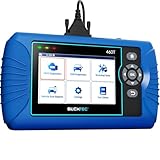
- [All System Diagnostics, Professional-Level Scanner] - BLCKTEC 460T is the ultimate OBD2 diagnostic tool for home mechanics and professionals. It supports all 10 OBD2 modes, reads and clears Engine/Transmission/ABS/SRS codes, performs All-System Diagnostics, offers workshop reset tools, and provides real-time live data. It helps you pinpoint issues, assess your car's condition, and prepare for SMOG checks with ease. NOTE: Function availability depends on your vehicle. Before you buy, be sure to use the Compatibility Checker on BLCKTEC website or contact our customer support to verify that the features you need are supported for your vehicle’s specific year, make, and model.
- [12+ Most Popular Reset Functions] - BLCKTEC 460T OBD2 scanner offers 12+ dealer-level service functions, including Oil Maintenance Reset, ABS Bleeding, EPB Reset, SAS(Steering Angle Sensor) Recalibration, DPF(Diesel Particulate Filter) Reset, Throttle Body Relearn, Battery Reset/Initialization, TPMS Relearn, Transmission Reset, Fluid Change Reset, Maintenance Reset and more, enabling you to perform workshop services like a pro. NOTE: Function availability depends on your vehicle. Be sure to use the Compatibility Checker on BLCKTEC website to verify that the features you need are supported for your vehicle.
- [Real-Time OBD2 and OEM Live Data, Freeze Frame Data] - BLCKTEC 460T helps diagnose vehicle issues when warning lights like Check Engine Light or ABS/SRS Light appear. It offers detailed DTC info, ECU Freeze Frame Data, and real-time OBD2 and advanced OEM live data, including Engine, Transmission, ABS, SRS, and more, making it easy to diagnose and resolve vehicle problems. You can view, graph, record, replay, and overlay up to four live data streams in a single graph for better analysis.
- [AutoVIN, AutoReLink, AutoScan, 3X Faster] - Equipped with AutoVIN technology, 460T automatically retrieves the VIN to save you time. Its AutoScan and AutoReLink features scan all of the vehicle's ECUs and detect any fault codes immediately after you plug the scanner into the vehicle's OBD2 port - no button presses required. Additionally, it regathers DTC and I/M readiness information every 30 seconds, simplifying monitor tests. 460T's advanced technology makes it 3X faster than other products.
- [Get RepairSolutions2, the #1 Auto Repair App for Free] - When paired with RepairSolutions2(RS2) App, 460T becomes even more powerful. RS2's Verified Fix Database built by master technicians, provides the parts needed for the repair. Additionally, RS2 gives you access to OEM warranty info, maintenance schedules, TSB, and dealership recall info, making car care easier than ever. RS2 is free with no subscription fees and it stores your car scan reports in the cloud, allowing you to access, share, or print them anytime and anywhere.
This product presentation was made with AAWP plugin.