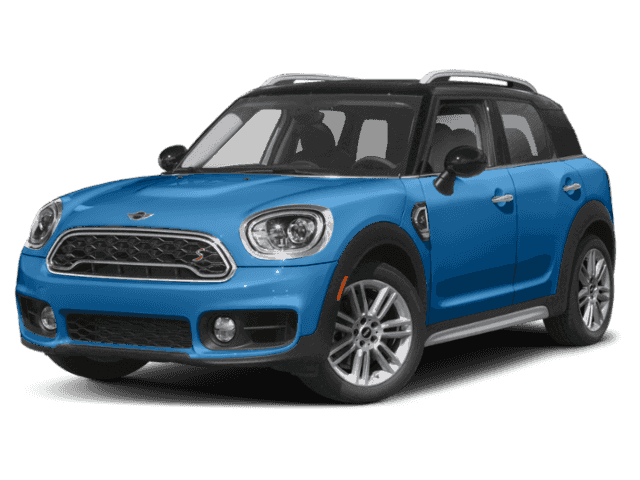
NHTSA ID Number: 10161583
Manufacturer Communication Number: M110117
Summary
The Service Engine Soon (MIL) light is on with the following fault stored in the Digital Motor Electronics (DME). In the situation being described the fault is only stored during the cold winter months along with the use of winter fuel.
12 Affected Products
Vehicles
SITUATION
The Service Engine Soon (MIL) light is on with the following fault stored in the Digital Motor Electronics (DME).
In the situation being described, the fault is only stored during the cold winter months along with the use of winter fuel.
Note: Various other causes for a rich mixture fault are possible and should not be overlooked.
CAUSE
- DME software diagnostic is too sensitive
- This situation is most likely to occur if the driving profile is one of frequent cold engine starts and/or primarily short distance trips (idle / low load operation) where full engine operating temperature is not reached.
- Due to the lower engine oil temperatures crankcase vapors that contain a higher fuel content are not completely drawn off via the crankcase ventilation system.
- A false DME adaptation routine could then lead to this fault being set.
CORRECTION
- Check for rich mixture condition
- Program the vehicle with ISTA Next
- Replace the engine oil
- Inspect cylinder head cover and replace as needed
- Quality Certification I (QC1) vehicle procedure
PROCEDURE
Do not replace any parts unless a definite failure is identified during diagnosis.
Perform diagnosis using the latest version of ISTA Next.
- Check the current mixture adaptation:
Path: ECU function – DME / Diagnostic scan / 721 Mixture Adaptation
Note: Let the engine idle at operating temperature. If the mixture adaptation drops significantly below 1.0 it indicates a rich mixture condition.
- Replace the engine oil and filter on a warm engine.
Refer to SI M11 01 15: Engine Oil Quick Reference and Drain Plug Torque
Do not reset the CBS for engine oil service unless the oil service shows to be currently recommended or due on the key reader.
- Upgrade the vehicle software using ISTA Next 4.17.1x (became available late April 2019) to the appropriate level shown below:
Programming is only required if the integration level is earlier than the target level.
Note that ISTA Next will automatically reprogram and code all programmable control modules that do not have the latest software.
Always connect a MINI-approved battery charger/power supply (SIM04 08 09).
For information on programming and coding with ISTA, refer to CenterNet / TIS / Technical Documentation / Programming and Diagnostics / Programming Documentation.
SEOCONTENT-START
SI M11 01 17
Engine
May 2019
Technical Service
FAULT 118002 – MIXTURE TOO RICH SETS DURING WINTER
WITH COLD AMBIENT TEMPERATURES
New information provided by this revision is preceded by this symbol .
This Service Information bulletin supersedes SI M11 01 17 dated May 2019.
What’s New:
• Target I-Level added for F60 PHEV
• Warranty information Attachment
MODEL
F54 (MINI Clubman)
F55 (MINI
Hardtop 4
Door)
F56 (MINI Hardtop 2
Door) F57 (Convertible)
F60 (MINI Countryman)
F60 PHEV
(MINI
Cooper S E
Countryman
ALL4)
Produced with the B36, B38, B46, B48, and XB2H engines.
SITUATION
The Service Engine Soon (MIL) light is on with the following fault stored in the Digital Motor Electronics
(DME).
FAULT CODE: Control Unit: Fault Code Text:
118002 DME Mixture control: Fuel-air mixture too rich
In the situation being described, the fault is only stored during the cold winter months along with the use of
winter fuel.
Note: Various other causes for a rich mixture fault are possible and should not be overlooked.
CAUSE
• DME software diagnostic is too sensitive
TIS Service Bulletin Page 1 of 6
https://www.minitis.net/tiscode/cgi-bin/bulletin.aspx?sie_path=/tsb/bulletins/htm_store/507… 6/3/2019
• This situation is most likely to occur if the driving profile is one of frequent cold engine starts and/or
primarily short distance trips (idle / low load operation) where full engine operating temperature is not
reached.
• Due to the lower engine oil temperatures crankcase vapors that contain a higher fuel content are not
completely drawn off via the crankcase ventilation system.
• A false DME adaptation routine could then lead to this fault being set.
CORRECTION
1. Check for rich mixture condition
2. Program the vehicle with ISTA Next
3. Replace the engine oil
4. Inspect cylinder head cover and replace as needed
5. Quality Certification I (QC1) vehicle procedure
PROCEDURE
Do not replace any parts unless a definite failure is identified during diagnosis.
Perform diagnosis using the latest version of ISTA Next.
1. Check the current mixture adaptation:
Path: ECU function – DME / Diagnostic scan / 721 Mixture Adaptation
Note: Let the engine idle at operating temperature. If the mixture adaptation drops significantly
below 1.0 it indicates a rich mixture condition.
2. Replace the engine oil and filter on a warm engine.
Refer to SI M11 01 15: Engine Oil Quick Reference and Drain Plug Torque
Do not reset the CBS for engine oil service unless the oil service shows to be currently recommended
or due on the key reader.
3. Upgrade the vehicle software using ISTA Next 4.17.1x (became available late April 2019) to the
appropriate level shown below:
Programming is only required if the integration level is earlier than the target level.
All except vehicle equipped with the XB2H engine:
Model Target
F54 (Cooper Clubman) F056-19-03-540 or higher
F55 (Cooper Hardtop 4 door)
F56 (Cooper Hardtop 2 door)
F57 (Cooper Convertible)
TIS Service Bulletin Page 2 of 6
https://www.minitis.net/tiscode/cgi-bin/bulletin.aspx?sie_path=/tsb/bulletins/htm_store/507… 6/3/2019
F60 (Cooper Countryman)
Vehicles equipped with the XB2H engine.
Model Target
F60 PHEV (MINI Cooper S E Countryman ALL4) F056-18-07-531 or higher
Note that ISTA Next will automatically reprogram and code all programmable control modules that do not
have the latest software.
Always connect a MINI-approved battery charger/power supply (SIM04 08 09).
For information on programming and coding with ISTA, refer to CenterNet / TIS / Technical Documentation /
Programming and Diagnostics / Programming Documentation.
Only for vehicles equipped with the B36 and B38 engine produced to October 31, 2015:
4. Inspect the version of the cylinder head cover
The older version is shown to the left.
The newer version is shown to the left
Note: This updated version can be identified by the additional
supports on crankcase ventilation ports
Replace the cylinder head cover and profile gasket if the older version is equipped.
Additional information may be found in FUB-HIL-HI-0009-A17 – Versions of the cylinder head cover
and M11 03 15
Only for vehicles which have not yet received the QC1 described in the model list above:
5. During the cold season, replace the engine oil as described in step #2 prior to delivering the vehicle to
the customer.
PARTS INFORMATION
Part Number Description Quantity
TIS Service Bulletin Page 3 of 6
https://www.minitis.net/tiscode/cgi-bin/bulletin.aspx?sie_path=/tsb/bulletins/htm_store/507… 6/3/2019
11 42 8 570 590 Oil filter 1
83 21 2 365 955 MINI Original Engine Oil LL14FE+ 0W-20 B36/B38 – 4.25 liters
Or
83 21 2 365 955 MINI Original Engine Oil LL14FE+ 0W-20 B46/B48 – 5.5 liters
Refer to ETK Cylinder Head Cover 1
WARRANTY INFORMATION
Covered under the terms of the MINI New Passenger Car Limited Warranty.
Defect Code: 1042900100
Dealers that experience “Cold” Winter Months
• New vehicles in-stock only (No in-service date), just prior to the first delivery, fault code 118002 “is
not” set/stored in the DME
Labor Operation: Labor Allowance: Description:
11 99 000 3 FRU (All except the F57);
4 FRU (F57)
Work time to change the engine oil and filter
without a CBS data reset
Note: Only claim the engine oil and filter change as stated above when SI M01 02 15 (CBS Engine Oil
Service Task: New MINI Vehicles in Inventory/in Stock) does not apply.
Or:
All applicable vehicles that “have” fault code 118002 set/stored in the DME
Labor Operation: Labor Allowance: Description:
00 00 006 Refer to AIR
Performing “vehicle test” (with vehicle
diagnosis system – checking faults) (Main
work)
Or:
00 00 556 Refer to AIR
Performing “vehicle test” (with vehicle
diagnosis system – checking faults) (Plus
work)
And:
61 21 528* Refer to AIR Connect an approved battery charger/power
supply (indicated in AIR as “Charging battery”)
If you are using a Main labor code for another repair, use the Plus code labor operation 00 00 556 instead of
00 00 006.
*Claim 61 21 528 only when it is not included in another flat rate labor operation.
And, additionally for the:
TIS Service Bulletin Page 4 of 6
https://www.minitis.net/tiscode/cgi-bin/bulletin.aspx?sie_path=/tsb/bulletins/htm_store/507… 6/3/2019
e-Vehicle
Labor Operation: Labor Allowance: Description:
61 25 910 Refer to AIR Recharging high-voltage battery unit (to high
voltage charging socket)
And, only if the:
Vehicle’s I-level is lower than 18-07-500
Labor Operation: Labor Allowance: Description:
61 00 730 Refer to AIR Programming/encoding control unit(s)
And, if applicable:
For MINI vehicles equipped with the B36 and B38 engine produced to October 31, 2015 only
Labor Operation: Labor Allowance: Description:
11 12 510 Refer to AIR Replacing cylinder head cover
And, together with the items above that apply:
Labor Operation: Labor Allowance: Description:
11 99 000 3 FRU (All except the F57);
4 FRU (F57)
Work time to change the engine oil and filter
without a CBS data reset
Note: Only claim the engine oil and filter change as stated above when SI M01 02 15 (CBS Engine Oil
Service Task: New MINI Vehicles in Inventory/in Stock) does not apply or when the engine oil service does
not show Recommended or Due.
Refer to AIR for the corresponding flat rate unit (FRU) allowances.
Work time labor operation code 11 99 000 is not considered a Main labor operation. Also, since the “work
time” FRU allowance to be claimed is specified, a separate punch time is not required. However, it still
requires an explanation on the repair order and in the claim comments section.
And:
Sublet – Bulk Materials
Sublet Code 4
See sublet
reimbursement
calculation below
Reimbursement for used quantities of required
operating fluids, including engine oil only when it is
not claimed under the MINI Maintenance Program
(applicable MINI part numbers). Please do not use
these part numbers for claim submission.
Sublet reimbursement calculation for claiming the used quantity applicable repair-related bulk materials (MINI
part numbers) is at the dealer net price plus your dealer’s handling.
Enter this material cost in sublet and itemize the amount on the repair order and in claim comment section.
Programming and Encoding – Vehicle Control Units
TIS Service Bulletin Page 5 of 6
https://www.minitis.net/tiscode/cgi-bin/bulletin.aspx?sie_path=/tsb/bulletins/htm_store/507… 6/3/2019
During the same workshop visit, if a vehicle also requires another Technical Campaign or repair that also
includes programming and encoding the control units, the programming procedure may only be invoiced one
time.
A. The programming procedure automatically reprograms and encodes all vehicle control modules which do
not have the latest software i-level. If one or more control module failures occur “during” this programming
procedure:
• Please claim this “consequential” control module-related repair work under the defect code listed in this
bulletin with the applicable AIR labor operations.
Please explain this additional work (The why and what) on the repair order and in the claim comments
section.
B. For control module failures that occurred “prior” to performing this programming procedure:
• When “covered” under an applicable limited warranty, claim this control module-related repair work using
the applicable defect code and labor operations (including diagnosis) in AIR.
Overlapping Labor Procedure
If invoicing the AIR flat rate labor operation codes for other repair work results in overlapping labor, for those
flat rate labor operations that are affected, you are able to:
• Replace the stated AIR “FRU allowance” with a “reduced FRU value” to eliminate the overlapping labor.
For help in identifying the overlapping labor, please refer to the AIR FRU Plausibility Check (Overlapping
Labor Tool) that is located in the AIR Client.
Eligible other repair work being claimed under a different defect code will require separate punch times.
On the repair order and in the claim comment section, please identify and itemize those labor operations
being claimed with a “reduced FRU value.”
Other Repairs
If other eligible and covered work is performed after carrying out the ISTA diagnostics and other diagnosis,
claim this work with the applicable defect code and labor operations (including diagnosis) that are listed in the
AIR.
Posted: Monday, May 6. 2019
[ Copyright ©2019 BMW of North America, Inc. ]
TIS Service Bulletin Page 6 of 6
https://www.minitis.net/tiscode/cgi-bin/bulletin.aspx?sie_path=/tsb/bulletins/htm_store/507… 6/3/2019
SEOCONTENT-END
SI M11 01 17
May 2019
BMW Diagnostic & Reprogramming
Introduction
The Online Service System (OSS) has been developed specifically for independent automotive workshops to provide an extensive range of resources. The following applications are available in the OSS:
ISTA Diagnosis Application
Vehicle diagnostics from the Z3/E36, with the BMW ICOM, or with a J2534 pass-thru tool (from model year 1996).
- Fault Code Diagnosis
- Test Plans
- Repair Instructions (E30 or higher)
- Technical Data
- Wiring diagrams
Web ISTA Information Application
WebISTA has been developed to provide an information only application for users that do not require all of the services included in the ISTA diagnostics application.
- Repair Instructions (E30 or higher)
- Technical Data
- Tightening torques
- Wiring diagrams
You can search using document title, document number and subject areas as the search criteria. The desired information is displayed by means of graphics and explanatory text.
ISTA/P Online - Control Module Reprogramming
With ISTA/P you can reprogram the onboard control modules that are capable of software reprogramming. For ISTA/P, a data interface, a power supply and an Internet connection are required. The data interface can be a BMW Group ICOM interface or a "Pass-Thru Tool (PTT)" that fulfills the requirements of the SAE J2534 standard.
What is needed to diagnose and program with the BMW OSS?
The OSS consists of a desktop or laptop PC connected to BMW over the Internet. To connect to the vehicle you can use the BMW authorized diagnostic interface "integrated communication optical module (ICOM)" or use a J2534 "Pass Thru Tool (PTT)".
Note
Connection to OSS works only on PCs where no proxy connections are used.
For information about vehicle reprogramming and diagnostics using J2534 click here.

- J2534 Pass-Thru Programmer: TOPDON RLink J2534 is an advanced diagnostic and reprogramming tool that support all J2534 protocols, as well as D-PDU, CAN-FD and DoIP, ensuring compatibility with a wide range of modern vehicles. It offers extensive versatility with support for over 18 major automotive brands, including Chrysler, Ford, GM, Nissan, Toyota, Honda, Subaru, Land Rover/Jaguar, Volvo, Wuling, Volkswagen/Audi, Mercedes-Benz, and BMW. NOTE: Not compatible with Ford IDS diagnostic software
- All-in-One OEM Diagnostics: This J2534 ECU programming tool elevates your automotive repair capabilities to new heights by delivering complete OEM diagnosis. Boasting comprehensive full-system diagnostics, intuitive repair guides, advanced ECU programming and coding, common reset services, a vast library of repair information and more, this all-in-one solution empowers technicians to effortlessly tackle complex vehicle issues with ease. *Not compatible with 24V vehicles
- Proven Performance You Can Trust: Backed by over 10000 real vehicle tests and benefit from a wealth of practical experience, this OEM reprogramming tool guarantees stable and exceptional performance. Supported by TOPDON's dedicated technical experts with in-depth knowledge of both auto repair and J2534 Pass-Thru programming, the RLink J2534 provides prompt and professional assistance, ensuring a smooth setup and reliable compatibility
- Integrated Excellence, Always Up-to-Date: Featuring the exclusive RLink Platform to provide a streamlined experience with one-click driver installation and management, ensuring flawless integration with your OE software, maintaining the original performance quality. The built-in operation guide makes mastering OE software quick and easy, so you can get started right away. Plus, with lifetime free updates, your diagnostics will stay current with the latest drivers and innovations
- Efficiency Meets Versatility: Engineered to support three CAN channels simultaneously - CAN FD and CAN-CC included, giving you the edge in fast troubleshooting. To perfectly synchronized with the OE software, please diagnose with active subscriptions and make sure your computer system is running a compatible 64-bit Windows version (7, 8, 10 or later) to fully leverage the power of RLink J2534. *We don't provide extra OE software

- Advanced VCI Box, Industry-leading J2534 Pass-Thru Technology: This J2534 Pass-Thru Programmer is designed espically for technicians, independent shop owners, and DIY enthusiasts, enables fast, reliable computer-based programming. It supports all J2534 protocols—including the latest DoIP and CAN FD—ensuring full compatibility with both legacy and next-generation vehicles.
- High-Speed OEM-Level Diagnostics & Programming: Unlock true OEM functionality with comprehensive system diagnostics, guided troubleshooting, coding, adaptations, resets, and programming—all designed to slash repair time. This all-in-one tool eliminates the need for multiple OEM devices, boosting efficiency and cutting costs. Equipped with High-Speed USB, it delivers 10x more data per second than competing solutions
- Coverage for 17 Car Brands & Ultra Reliability: Works seamlessly for Chrysler, for Ford(Forscan), for GM, for Nissan, for Toyota, for Honda, for Subaru(SSM4), for Land Rover/Jaguar, for Volvo, for Wuling, for Volkswagen, for Mercedes-Benz, and for BMW. Backed by over 10000 real vehicle tests and benefit from a wealth of practical experience, this OEM reprogramming tool guarantees stable and exceptional performance
- User-Friendly RLink Platform & Expert Support: TOPDON’s proprietary driver management platform offers a clean interface and lifetime free updates. Access a rich library of real-world case studies to stay ahead of the curve. Backed by a support team with 10+ years of J2534 and automotive repair experience, we provide one-on-one assistance to resolve any technical issue.
- 6.6 ft USB-C Cable & Portable Storage Case: The RLink J2534 diagnostic tool features a 6.6ft USB 2.0 Cable and a 1.2 ft OBDII Extension Cable, allows to connection your computer easily outside the vehicle. The included handled carry case offers easy portability, storage, and hanging options—keeping your gear clean and ready to go, anywhere.

- Dual WiFi & 10.1" Touchscreen: Provides a stable, high-speed wireless link 3x faster than bluetooth, and a responsive, professional interface. Topdon ONE obd2 scanner diagnostic tool ensures smooth, non-lagging diagnostic scan, boosting mechanic efficiency
- J2534 Pass-Thru Support: The included ONE VCI supports the J2534 standard, allowing it to function as a pass-thru device when paired with OEM diagnostic software.Through TOPDON’s RLink platform, technicians can perform dealer-level coding, expanding in-house capabilities without investing in multiple factory automotive scan tools
- OE Topology Mapping: Visualize the vehicle’s ECU network exactly as it’s built.Zoom, pan, and highlight specific modules to pinpoint component issues with precision.Topology mapping displays real-time communication between modules
- 50+ Service Functions: Covers high-demand services like ADAS calibration, DPF regen, TPMS reset, ABS bleed, and throttle adaptation.Expands your service menu, allows you to charge premium rates, and turns away zero jobs due to lack of tooling. Vehicle-specific functionality may vary
- Advaned ECU Coding: 10 of the most serviced brands in North America, including full ECU coding and flash hidden support for BMW, VW, Au-di, Benz, Porsche, Toyota, Ni ssan and more. Enables module replacement, feature customization, and personal settings with automatic backup or restore.Lets your shop safely offer high-margin customization services, attracting more customers and boosting profit

- [J2534 Pass-Thru Programmer] - TOPDON RLink J2534 is engineered for professional technicians, delivering OEM diagnostic and reprogramming capabilities. It supports all J2534 protocols, CAN-FD, DoIP, D-PDU. Compatible with 17 vehicle brands—such as Chrysler, Ford, GM, KIA, Hyundai, Nissan, Toyota, Honda, Subaru, Mitsubishi, MAZDA, Land Rover/Jaguar, Volvo, Volkswagen/Audi, Mercedes-Benz, and BMW. RLink J2534 can help reduce the cost of purchasing equipment from different brands.
- [All-in-One OEM Reprogramming and Diagnostics] - When seamlessly integrated with OEM diagnostic software, this dongle enables you to perform a wide range of functions, including ECU programming and coding, DTC reading and clearing, active tests, component matching, adaptations, rewriting, guided troubleshooting, and more. This all-in-one tool eliminates the need for multiple OEM devices, significantly boosting work efficiency.
- [Tested, Trusted, and Proven for Accuracy] - TOPDON RLink J2534 is renowned for its reliability, having successfully completed over 10,000 real-vehicle tests. The wealth of data and hands-on experience behind it ensures consistent performance and accurate results. You can trust this tool to deliver optimal performance.
- [One-Click Installation, Continuous Updates] - The exclusive TOPDON RLink platform streamlines installation with a one-click driver setup, allowing you to quickly access OEM software for diagnostic and reprogramming tasks. With lifetime free updates, your RLink J2534 stays current without any additional cost, ensuring reliable performance for the long term. *We don't provide extra OE software.
- [Works with Windows Compatibility and OEM Software Subscription] - The RLink J2534 supports three CAN channels - including CAN FD and CAN-CC, providing advantages in the process of rapid troubleshooting. Compatible with Windows 7, 8 and 10 (64-bit) and higher versions of the system. For full functionality, an active OEM software subscription is required for each supported vehicle brand. Please note that the dongle does not include OEM software, which must be purchased separately to access brand-specific diagnostic and reprogramming features.
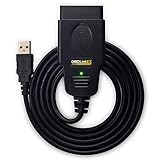
- CUSTOM-DESIGNED FOR USE WITH FORSCAN: Works with all FORScan compatible vehicles and is recommended by the FORScan Team
- DEALERSHIP-LEVEL DIAGNOSTICS: OBDLink EX supports all Ford protocols, modules, and advanced features of FORScan
- ELECTRONIC SWITCH allows FORScan to access all CAN buses simultaneously and enables advanced functions not possible with “toggle switch” adapters
- MAXIMUM THROUGHPUT -- up to 20 times faster than “toggle switch” adapters
- ROCK-SOLID CONNECTION avoids data corruption and dropped packets

- 【J2534 Pass-Thru Device】 This budget-friendly J2534 pass-thru device delivers OEM diagnostics and reprogramming capabilities for dealerships, repair shops and automotive DIY enthuisasts, enables you diagnose, program and repair the vehicles more efficiently and precisely. Supporting J2534, D-PDU, CAN-FD and DoIP, this J2534 passthru tool ensures wide vehicle coverage. It's compatible with OE software application, ensuring seamless integration and original performance quality
- 【All-in-One Diagnostic Tool】 Simplify your workflow and tackle the complex diagnostics and repairs with confidence! This J2534 passthrough tool provides full system diagnosis, bi-directional control, maintenance reset services, ECU programming and ECU coding to run advanced diagnostics and programming. Equipped with the specialized platform, this J2534 pass-thru tool is fully compatible with OE software that helps technicians confidently handle complicated vehicle repair issues
- 【J2534 Diagnostic Tool】 The Tabscan J2534 pass-thru device is built with a dedicated platform, making it ideal for both professional and personal use. Simply download the driver for your ford vehicle within the platform—ensuring only one driver is installed at a time. Then connect the device to your vehicle’s OBD2 port and link it to your computer using the included USB A to USB C cable. Finally launch your OE software, select Tabscan J2534 VCI as interface, and begin diagnose and program
- 【Universal Compatibility】 Tabscan J2534 reprogramming tool is designed to be compatible with Ford vehicles for advanced diagnostics and programming. It supports J2534 protocols, along with D-PDU, CAN-FD and DoIP, ensuring seamless connectivity with older or modern vehicles. This J2534 diagnostic tool only works with computer running on windows 7/10/11. Vehicle compatibility varies by model or year, please confirm with us before purchase. Note: It's not compatible with 24V vehicles
- 【Professional Technical Support】 Tabscan J2534 pass-thru device provides a stable and seamless connection between your vehicle and computer for diagnostics, programming, and coding. But that's not all—we go beyond hardware. Our dedicated technical support team brings deep expertise in automotive diagnostics and programming. Whether you need help with setup, troubleshooting or latest diagnostic resources and upgrades, we provide fast, professional and reliable support every step of the way
This product presentation was made with AAWP plugin.